









.DkNUKaKx_ZLAT4m.webp?dpl=dpl_85Ne1FZtyNvSY2RQYrhx76Mafp8D)








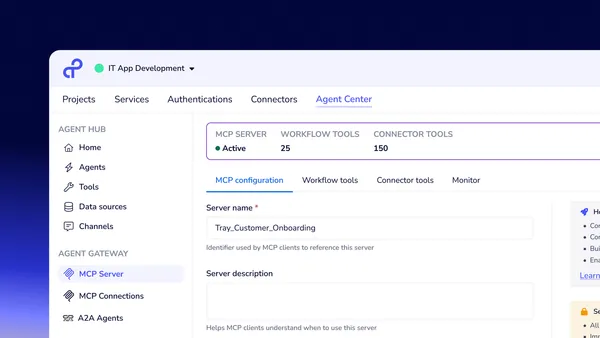
Watch this Tray First Look webinar to see how Tray Agent Hub gives teams a faster, more guided way to build and scale AI agents.
In this on-demand session, Product Director Tom Walne and Senior Product Marketing Manager Michael Douglas introduce the industry’s first catalog of reusable Smart Data Sources, AI tools, and Accelerators inside Tray Merlin Agent Builder. You’ll see how Agent Hub removes the tradeoff between rigid prebuilt bots and expensive custom builds, helping teams move from proof of concept to production in weeks, not months.
What you’ll learn
- Speed delivery: Build and launch agents faster with ready-to-use building blocks inside Merlin Agent Builder.
- Reduce rebuilds: Use composability to cut cost, rework, and maintenance across agents.
- Scale adoption: See how customers like Life360 reuse assets to move from pilot to production and lower technical debt.
- Stay secure: Keep every agent action visible, traceable, and grounded in company data.
Session chapters
- The shift from static bots to composable agents: Why teams need a faster, more flexible way to build agents that scale.
- Meet Agent Hub: See how the first catalog of reusable building blocks inside Tray Merlin Agent Builder changes the game.
- Build faster with composability: How reusable data, tools, and accelerators cut build time and reduce maintenance.
- Life360: from pilot to production: How one company scaled adoption and reduced technical debt with reusable assets.
- Demo: HR agent in action: Watch a live walkthrough of an HR agent built with Smart Data Sources and tool collections.
- The vision for Agent Hub: How Tray sees the future of reusable agent assets and organizational sharing.
Transcript (auto-generated)
Hi. Good morning, good afternoon, good evening, wherever you might be, and welcome to Tray First Look Agent Hub, Merlin Agent Builder. Thank you so much for joining us today. And before I start, please forgive my shadow over me as I think it’s where the sun is at right now.
But, again, welcome to Tray First Look: Agent Hub, Merlin Agent Builder. My name is Michael Douglas. I’m a Senior Product Marketing Manager here at Tray, and I’m joined by my colleague, Tom Walne. Hey, Tom. How are doing?
Not too bad, Michael. Good to be here again.
Great. Thanks, Tom.
Tom, do you wanna go and give the audience, an intro to yourself just in case you aren’t familiar with Tray and if they haven’t been on one of our webinars before.
Yeah. Well, then I will happily do that. So, obviously, my name is Tom Walne, product director here at Tray. I was welcoming Michael back then because some of you may have seen the session we did a a few months back on smart data sources. So great to be here again to walk you through the the Agent Hub. And I think Michael is going to kick us off and set the scene before I jump in with a bit of a demo.
Great. Thanks, Tom. So, yeah, so as Tom was saying, and before we jump into what is Agent Hub, so what we’re seeing in the market is there’s really two types of way right now to adopt agents.
Now there’s obviously a number of different types of vendors out there, primarily, it falls into two different categories.
One, you go with the prepackaged agent from a SaaS vendor that’s out of the box. It gets you up and running very quickly, but, really, it lacks the flexibility to do two things. One, deliver a great experience for your end user. Second, suit the needs, specific needs of your business.
And then the second option and probably the the option least travel, but certainly still pretty prevalent out there is building your own custom agent.
And that’s incredibly expensive because, one, you need to staff with AI engineers.
And, it’s very slow as well. Right? By the time you build, test, and deploy the agent, it’s going to take you anywhere between 6 months to a year just to do so.
And I know, Tom, that you’re having a lot you’ve had a lot of conversations, certainly more than I have with customers out there, and wanted to get an understanding of what you’re seeing on the feedback that you’re getting from customers that are trying these these different methods.
You know, as you touched on, you know, the the agentic space is we’re seeing sort of tech develop here very rapidly.
And, yeah, there’s a lot of vendors entering the space as well as legacy providers with their own offerings.
I think one of the approaches that seems to be most common, particularly with the kind of newer vendors is this static agent based model where you’re building an agent for a specific purpose.
And it mirrors the historic way that automation worked where you were using templates and package processes that had a very specific kind of use case.
And if they didn’t have it for the systems you were using, then you’re kind of stuck, and you’re having to adapt and change. And how often is it that a template you pull off the shelf for a specific process is gonna do exactly what you needed to do. So we’ve changed the thinking there and put composability at the heart of everything we do, and that’s what we’re gonna show you a bit as we get into the Agent hub.
Yeah. So that’s that’s that’s a great point, and composability is what all of this is about. Right? So, we’re very excited to be introducing Tray Agent Hub in a way to combat a lot of these challenges that we just spoke about.
Now first of all, what is Tray Agent Hub?
It’s really a first of its kind composable asset catalog, if you will. It’s about providing reusable building blocks for organizations to build agents much faster with much easier to maintain. And we’re really, if you think about it, defining a new category here. Right? So you’re able to build customized agents in a very much scalable fashion.
So what we’re doing is you’re able to assemble smart data sources that ground your agent in your company knowledge. You’re able to take AI agent tools that are taking action across the business.
And we’re giving you those assets in a very much more composable, reusable way you can mix and match depending on your use case that the the agent is trying to address.
And, really, what it’s about is shortening the path from idea to development and taking out that trade off between rigid prebuilt agents and the custom built agents that you have to use. And that’s doing a number of things that we’re seeing with our customers is helping to reduce build time and costs, and it’s also limiting your technical debt. If you think about it, you know, there are a lot of agents out there that are using a lot of the same components, so you’re not having to build a specific component or a specific tool for each of those agents. You can reuse them. You’re really reducing your technical debt, and, also, it’s allowing you to customize the agents in a much more easy, faster fashion.
And a great example of that is one of our flagship customers, Life360.
And Life360 are really on the bleeding edge of agent development. They’re taking an agent of agents approach. What that basically means is they have a master agent that everybody interfaces with.
And that agent controlled a number of sub agents. And because there’s a lot of components within the sub agents that are that are able to share those components, they need to be able to reuse the tools and data sources.
And because they’re able to use Agent Hub to do that It’s allowing them to, be able to build agents in a matter of weeks versus the months it was taking when they were having to build specific agents or specific components for those specific agents. So, really, that’s an example of an organization that’s really at the forefront of of agent building how they’re able to take Agent Hub and really supercharge their agent development strategy. So before we get into the demo, just to reiterate, Agent Hub is a first of its kind composable asset catalog, and we’re giving you a guided wizard like startup.
It’s all embedded within Merlin Agent Builder. So for our customers that are out there that are using actively using Merlin Agent Builder, you’re fairly familiar with it. So it’s all embedded. It’s all on a single platform, and you can organize it by business domain.
You’ve got the flexibility to choose the agent’s assets depending on the agent use case, and it’s bundled around what we call tools collections. So for instance, if you wanted to do it for a HR agent or a certain component within HR, HR agent, that’s all very easy and customizable to be able to do.
So without further ado, I’m gonna hand it over to Tom, and we’re gonna jump into the demo.
Brilliant. Yeah. Thank you, Michael. Let’s let’s let’s get stuck in, shall we?
So I’m gonna just share my entire screen here. Yeah. Thanks for kinda setting that up, Michael. I think just to kinda touch on, you know, you had that quote from from from Matt over at Life360 there.
And, you know, there have been some incredible calls this week about I think we’re really moving into that phase now where, you know, I was just sort of direct conversation with a customer yesterday where agents now are really starting to move beyond that FAQ knowledge based style interface, and they’re really taking meaningful action. You know, obviously, Matt and the team over at Life360 and some of our other customers are now able to really quantify things like ticket deflection and things like that through the agents they’ve built. So it really is incredible to see that, and it’s really Agent Hub that’s really powering that journey about kind of building up those kind of sub agents, you know, this agent orchestration framework that Michael kind of referred to.
So I’m gonna kind of Sorry, Tom.
Just if we just wanna start by just letting our letting our audience know what screen they’re looking at here.
Yeah. Absolutely. Yes. Let’s let’s go through that. So I’m I’m hearing the kind of the the very kind of, like, a start, the kind of the the the Merlin Agent Builder experience.
So as you can see, I’m about to initiate the process of building an agent. What I’m gonna show you today is the human resources agent and the the process for actually getting that set up.
So, yeah, this would essentially be the starting point for the agent building journey. And I think, you know, just before we kind of really dive in, I think a a real critical part of this to kind of think as we go through is, you know, one of the kind of great sort of automation challenges, you know, that’s that that kind of everyone sort of faces is how do you kind of present something that’s really powerful but not kind of, you know, have a kind of too complex interface with such as with a steep learning curve.
You know. And, you know, iPaaS and automation vendors have been banging this kind of this tightrope, if you like, for years. And I think if you think of the hub as, this central place for kind of exposing those composable building blocks that Michael referred to, you can see how that kind of usability gap is kind of being broken down by this kind of interface and is enabling kind of people who are using the agents to actually go and build them. So, yeah, let’s focus on the human resources agent.
So you see, I can I’ve selected my human resources agent, and that takes me through to this interface here as I’m and I’m gonna build the agent up as we go if you like. So, obviously, I’ve got my agent name. I’m gonna leave that as is. I’ve also got the scope or the prompt for the agent.
This comes as fully customizable, and it can be changed at any point once the agent is created. You know, we have a kind of a a robust kind of working prompt in place, which kind of guides the kind of this hate human resources agent through the kind of likely task it’s going to kind of face.
If I move through, the first thing I’m gonna see you know, I kind of referred to this earlier. Me and Michael kind of, you want me on these sessions kind of introducing you to smart data sources a couple of months ago. And now they kind of part this kind of hub journey. So I’ve got a selection of data sources, available here.
I’m gonna select, Google Drive in this case. And these are kind of tailored and relevant to kind of potential kind of human resources use cases, which is why you can see things like, you know, Gmail, Confluence, Notion in there as well. But I’m gonna stick with Google Drive today. So I’ve selected my data source, and now what I need to do is kind of move on to the next phase.
And now you can see I’m in the tool selection, and this is where you kind of the the hub really comes into its own is I’ve got tailored collections based on the particular task that I wanna perform. And this is all about kind of flipping that kind of static kind of template kind of journey on its head. You know, historically, you’d go through, you’d see hundreds of templates and you’d select one that you’re like because kinda close to your use case, and then you go and have you’d be going and modifying it, and that’s where that kind of learning curve of using the underlying tool comes into play.
But now you can actually just select use cases based on what you’re actually trying to achieve.
So we can select Bamboo, user management. We’re gonna use these two Bamboo ones here, which essentially handle user management and and manage manage PTO.
So once you once I’ve got these set up, you’ll see how that kinda looks on the next screen. So now I’ve kinda selected my tools, and I’ve I’ve I’ve picked up everything I need from the hub.
I go through to this kind of configuration journey. So this is basically just configuring the things I’ve already decided I wanna add to my agent. So I’m gonna start with the Google Drive data source. So I’ve got an existing authentication here, so I don’t need to provide another one.
And now I’ve selected that authentication. I can actually select folders from within this Google Drive. Given this is a HR agent, I’m gonna use the HR policies folder.
Now I move on to the tool configuration, and I can actually select, the authentication here again. I’ve already got Bamboo authentication in here, so I won’t go through that process. But you’ve got the process to actually create the authentication directly in this in this part of this journey.
And that that that first part sorry, Tom.
Just that that that first part is really about underpinning the agent with the company’s I’m grinding the the agent and the company’s knowledge. Is that correct?
Yeah. That’s absolutely right, Michael. Again, you know, I think I’ve referred to it again again the the smart data source webinar. You know, I feel that we’re we’re plugging that quite heavily, but definitely worth a watch because that’s kind of leveraging that functionality to actually go and ingest the data in this folder and make it available to the agent in a way that it can retrieve it at at runtime based on the prompt from the user.
Great. Thanks. I just wanna make sure everyone’s aware of that.
Okay. I’m gonna hit next, and this is actually gonna go and create my agent. So it’s taking and it’s it’s using the figuration configuration I provided to actually go and create all of the assets that that power the agent. So it’s created my knowledge base.
It’s created the data sources. It’s now created the tools. And there you have it. There’s my human resources agent, which is, you know, set up based on the configuration I provided.
And if you go through that, you can see kind of everything in place, the data sources here. These will begin this will begin syncing in a second. So this is actually now gonna go and pull those the the the files that I mentioned before and make them available to the agent. You’ve got the tool groups in here.
So all the agents come by default with the kind of knowledge selection tools, and this is what’s used to actually query the dataset by ingesting with the HR policies.
But you’ve also got the two tool groups here that Michael referred to earlier. And this is really interesting and the approach we’ve taken here, you know, anyone that’s been kind of exploring this space, it’s been a kind of regular topic conversation, particularly with things like the, the model context protocol with a lot of vendors and and five coders, if you like, who are spinning up their own MCP servers, are actually just kind of wrapping their kind of REST API.
And, obviously, that’s not how agents really interact with functionality. So you end up with kind of confusing kind of tool mixtures and stuff like that, whereas our kind of tool collections are based around kind of tasks that a human being would be performing, but you can actually make accessible to the agent for things like managing the PTO and and user management. So that’s really kind of the power of the kind of tool group piece that you you get this kind of group functionality that reflects what the agent is actually gonna be doing in real life, which is why our customers have been able to see such significant gains when it comes to things like ticket deflection and, you know, reducing kind of, you know, manual work and processing and triaging that kind of thing.
Cool. So that’s my agent setup. Of course, we kinda wanna go and see it as well. Right? So I’m gonna get a kind of another kind of little kind of sneak peek in here. I’m gonna add in a an interaction channel for this agent. I’m gonna add in Slack.
I’m gonna use, again, this kind of interface here to actually directly expose this agent to to a Slack instance so I can communicate it with it directly.
So I’ve selected my authentication here, again, existing kind of Slack authentication, and I’m gonna enable that meet my to to send direct messages. This agent is obviously handling kind of sensitive things, so I don’t really want it in a channel. I don’t really want people mentioning it. I only kinda really want people communicating with this agent directly. So let’s get that in place.
And there it is. Now my agent’s available in Slack. Let’s go interact with it.
And, of course, we have you know, we also have this for you know, we have it in Teams. We also have it if you wanted to put it as part of your own internal. We get a lot of customers that are building their own internal user interface as well.
So it’s really about meeting your users where they’re interfacing, not not us kind of telling you where to to use it.
Yeah. You saw the kind of Teams use case available there. And as you can see, this agent has gone and actually accessed the the Bamboo instance I connected to, and it’s what and it’s calculated how much, you know, PTO I actually have. If you actually go into the agent itself, you can actually go in and actually look and see what the agent’s done in the kind of underlying tools.
You know? So you can see here, this is what the agent has just done. It’s used this tool to actually kind of estimate my kind of, like, my time off balance or get the kind of estimate a few time off balances based on my current collection. It’s gone and found, like, my employee.
This is done through a kind of a deep kind of Slack inter interaction because, obviously, Slack knows who I am. That information is actually passed directly to the agent. So you can’t actually kind of, you know, hallucinate. There’s any there’s complete protection against prompt injection as we’ve shown before, and it’s gonna retrieve that information from Bamboo because it has that tool available to it and then return that information to me. And so I can then obviously take it further.
3PM as I’m going to the dentist.
And now that process will kind of initiate, and I can, you know, show you show you that how that sort of essentially that that process running in the agent itself.
So you can see that’s now running that request. You can actually track it as well in the logs so you can see exactly what the agent is doing. So that was my initial request. So you can see me asking how much PTO I have.
So you have that complete visibility of well as well of the request coming in, and now it’s handling the request.
As you can see, what it’s doing here is I’ve asked to book a time off at 3PM. So first, what it’s doing is identifying the the time off types that are available. So it’s gonna be sick and vacation.
It’s assuming I’m sick because I’m going to the dentist, you know, so and then it’s actually gonna book that time off. And if I go back to Slack, you can see it’s actually gonna book that time off in Bamboo, and it’s told me that it’s waiting approval from my my this is quite extensive list of managers there. But yeah. So that’s it.
That’s the, the end to end process. I’ve obviously used the agent hub to to add add all the assets that are available, to create this kind of human resources agent, and you’ve you’ve seen it kinda take an action in in Bamboo and managing sort of PTO requests.
Great. Thanks so much, Tom. And, you know, I think what’s really important to to emphasize here is that, you know, there’s a lot of agent tools that are out in the marketplace that don’t really have the ability to take complex action across multiple systems or they take very limited access or action, within their own sort of, sandbox. And I think it’s important to really hone in on that Tray really allows you to do this because of the underlying infrastructure of an iPaaS.
So any of our customers that are familiar of using Merlin Agent Builder will understand that, but perhaps, you know, some of the the the other people that that aren’t familiar with Tray will be asking, kind of scratching their heads while saying, well, there’s a lot of agent tools that are already in the marketplace.
So I think Yeah.
And you would have seen that. Yeah. Obviously, I selected Bamboo in this instance, but, you there was a range of opportunities there, you know, Workday and and other systems that you could use and, you know, use this exact same agent with because the tasks are essentially the same, and all the kind of logic is is kind of baked into that tool collection.
So you could essentially chop and change. And, again, that that goes back to my point earlier about that flipping that kind of template on its head where it’s based around you, what you’re trying to achieve, and the systems you use as opposed to kind of being very kind of static.
So why don’t we go back into to the the deck, Tom, and and kind of just talk a little bit about the future of Agent Hub and kinda where we see it going. Obviously, this is this is early the early days of it.
Yeah. Just before that, I can see we’ve got a a hand raised from patch for Michael. Do you wanna kind of take a take a question now, or do you wanna kind of wait until we’ve gone to this next section?
Yeah. So the question from in the in the chat is, are there any labs available at Tray Academy to play around from Merlin Agent Builder?
No. Sorry, Mike. It’s just the the raised hand from Michael. So let’s let’s just let from Patrick. So let’s finish the section off, and then we can kinda take some of the questions.
Alright. Sounds good.
Okay. So let me go and share my screen again.
Alright.
And then yeah. So if you wanna give a bit of a overview on the future of of agent hub.
Yeah. I mean, this is, I mean, this is, you know, this is the the capabilities right now are incredible with this this global asset library.
But, you know, the the future of Agent Hub is what it really gets me excited as well because what this will become is essentially a global asset library, which you can contribute to.
And I touched earlier on that kind of that that that that challenge of, you know, the expecting your entire organization to become full users of an automation tool, an iPass tool. Well, this kind of creates this kind of world where you can kind of dual run, you know, and make parts of it accessible. And that agent building journey can be a bit exposed to anyone. And who’s better to build the agents than people actually do do the job day to day?
But, also, you’ve got that full flexibility of Tray under the hood. You know, this incredibly powerful iPass where you can go in and build out your own tools, your own data sources, and make them available to your organization through the agent hub.
So, yeah, so the future of the Agent Hub is this kind of complete kind of global asset library, which you can deploy to your entire organization, which you can tailor to specific users, and really kind of reach into your own use cases. So as much as our kind of, you know, our our our global library is gonna contain, you know, sort of data tools for all sources, we’re obviously not gonna cover everything. So this gives you the opportunity to actually contribute your own, and, you know, you’re not waiting for us to ship a tool. If we don’t have it, you can go and build it, and you can make changes to it, then make that tool available to your users.
So that’s very much the future of Agent Hub, this, yeah, asset library, which you can contribute and control.
Great. Thanks, Tom. And just for anybody that is using Merlin Agent Builder. Right? So we’ve got two really well built out accelerators, the Tray ITSM agent, which a lot of our customers have already adopted and getting great results from.
And then we also have, as Tom was showing, Tray HR agent as well around updating employee profile and and PTO requests and and time off requests. So it it’s really, a great way to kinda get started in your journey with with the Merlin Agent Builder and get something up and running in a very easy to use use case. And and, you know, most organizations are well versed in these problems. So we just encourage anybody to start kinda have a have a look at those and and start there.
So with that, we’ll jump into, q and a.
So I’ll just pull up.
Okay. So let’s start at the top.
Will you be able to access the hub again if you want to add more to the agent?
Yeah. Absolutely. So, essentially, as you saw, you’ve it’s all the kind of fully built agent there with the kind of pretools I preselected. But, essentially, you’ll be able to jump into parts of the hub journey where relevant. So if you’re adding a data source, you you can go into the page that runs the data sources. If you’re adding a, a tool, you can go into the page where you kind of add a tool. So you can kind of then do the parts that are kind of relevant to add depending on the asset you want to add to the, to to the agent itself.
So yes is the simple answer.
Great. Thanks.
Okay. Second question, going back to the the the first one the first one that was put in, are there any labs available in Tray Academy to play around for Merlin Agent Builder?
Yep. I I believe these are these are in development. You know, we use it kind of sort of get these kind of, published sort of not long after the kind of functionality becomes available. So I believe these are in development. I know there was some kind of updates to documentation recently, which are driving that kind of academy content. So, yeah, that should be in progress.
And I I don’t have kind of timelines right now, but we’ll we’ll follow-up and and let you know as and when the the the academy content will be available to support the agent builder.
K. And what does Agent Hub provide to help make agentic AI see if, I e limiting action and data access, preventing jailbreaking, etcetera?
Yeah. It’s a really good question. I kind of, sort of touched on some of this earlier, you know, with the kind of the Slack piece, and you may have actually seen it in some of the kind of the logs I was actually sharing. You know, we take we we know who the user is based on how they’re interacting with the agent, and we have this kind of concept of static data.
So we actually pass in static values into the actual tool calls that are made through Tray. And what that means is we don’t actually expose certain fields to the LLM with the tool calls. So things like the email address or user ID is not exposed to those bamboo tools directly to the LLM, it’s only kind of passed in statically from us. So there is no way a user can go in and say, actually, that’s not who I am.
My name is this, this is my email. Can you get my PTO for this user?
It simply won’t work because the LLM can’t actually pass that information to the underlying tool. So we have this kind of process in place to kind of prevent, I guess, prompt injection, jailbreaking, that kind of thing. And, of course, you can actually bake in additional levels of security to the workflow tools themselves. So you can build in you can build in, you know, additional kind of guardrails that, you know, look up a particular user, kind of restrict that kind of level of access.
That can be kind of baked into the workflow itself. And finally, obviously, you’ve got the full observability and traceability in terms of the logs. You know, you can review which requests are made to the actual agent itself. You can also you know, we have the we have our kind of log stream mechanism so you could actually pump out what what the agent is seeing, what it’s doing, and, you know, go through that and potentially use another agent to actually kind of monitor the kind of the the the the throughput of the agent.
So there’s a range of kind of different options that are already kind of baked in, and some that are available naturally kind of through the power of the kind of Tray iPass.
So we have, one more question here. When will Hub be enabled for users? So I think for for any customers that are on, please do reach out to your account team to get the the access to it. And for anyone that’s that’s not a customer, what I would, encourage you to do is go to the Tray.ai demo, and there’s a product walk through with Agent Hub in it. So if you’d wanted to learn more about it, that would be the easiest way, to get started on your on your journey with Tray.
So with that, I want to thank everybody for attending today’s session.
What I will say is we have got another very exciting session around our next release around MCP. I can’t say too much about it.
But that is on November 12th. So please look out for that invite, and we hope that you guys will be able to make, that session as well, for our next install of our agentic, journey. And, again, thank you so much for being able to attend. Hope you have a great rest of your day and the rest of your

Tom Walne
Director, Product

Michael Douglas
Sr. Product Marketing Manager