Fallback Values - UX Improvements
New functionality and UX for fallback values:
-
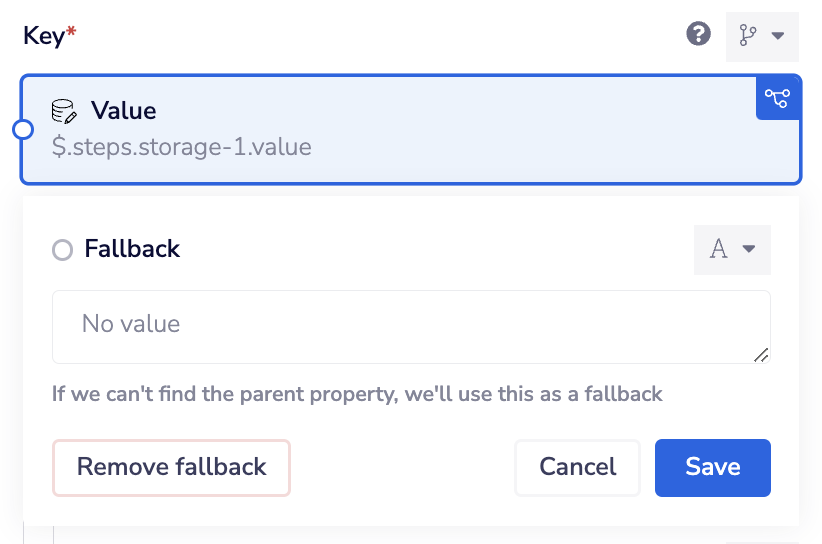
Added a button to explicitly remove fallback values (previously you needed to reset the data type)
-
If your property is set to mapped data (JSON Path) you can now set a fallback to
no value- When you use this
no valueoption the property is not included in the output of the step - You can still set the fallback to an empty string by clicking into the field and then clicking out - you will see the placeholder text changes from "no value" to "empty string" when you do this
- There is no change in functionality for interpolation jsonpaths in text inputs as these fallback to an empty string
- When you use this
For detailed information, please refer to the feature's documentation.