New Connector Properties Panel
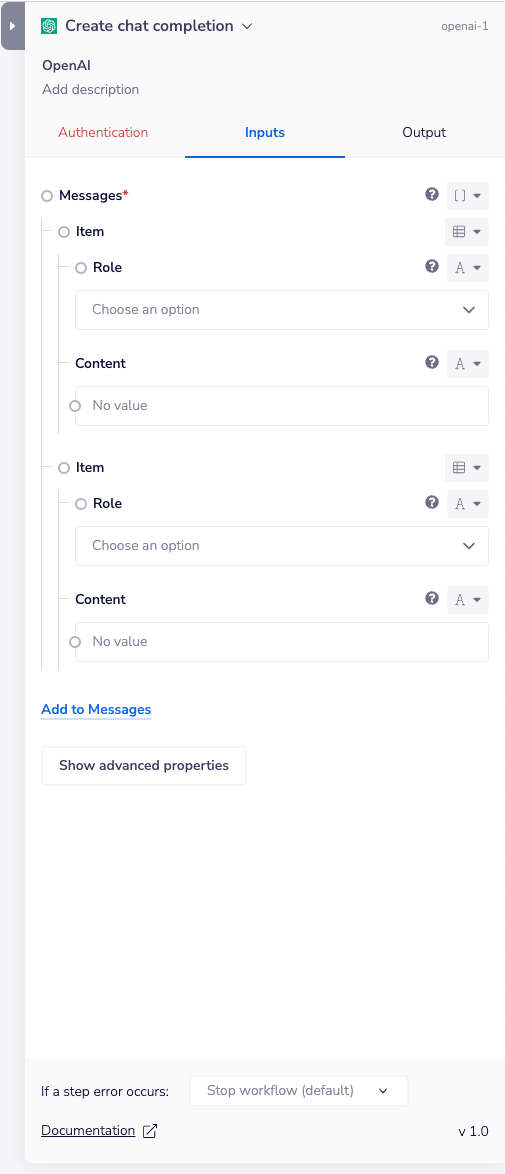
When you select a connector in the Tray builder, you'll now see our brand new properties panel! We've made some changes to generally refresh its appearance and improve information hierarchy. For example, 'Step Errors' is now below other options, since this isn't a requirement for initial connector set-up.
The new properties panel will also let you know when an authentication isn't required for a connector by deactivating the associated tab and also highlighting the tab when you've missed out adding a required auth (as you can see in the image above). This ensures that you are always clear on what's required of you when setting up a new connector.
This, and other ongoing improvements, all mean that it's clearer and quicker to get your workflows built and running smoothly in the Tray application.