New Data Mapping Experience
When using string input for data mapping in the Tray Builder, you'll see some improvements to help you find and successfully move data through a workflow.
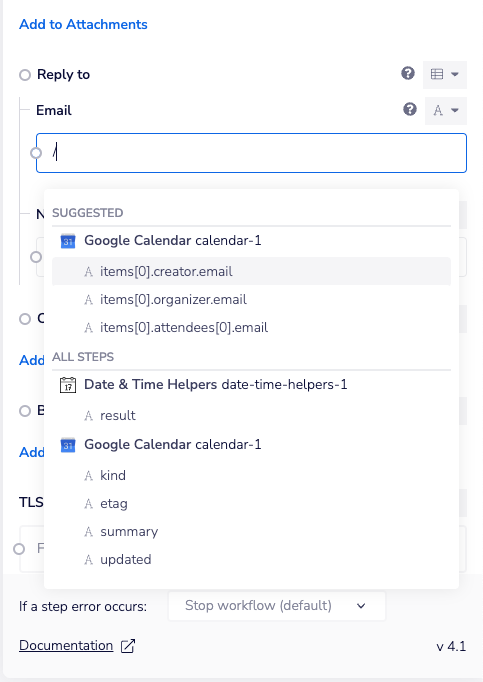
New / Command: Alongside our existing {$ invocation, you can now use /to immediately pull up search (or the new 'Smart Suggestions' detailed below). You can also type as normal to start searching. Multiple routes to look for the mapping you want are a deliberate choice here, we want to ensure that you can build in a way that best suits you. **
**
**Grouping by Connector: **Your results will be shown in groups according to the connector that they're associated with, making it easier to scan the options available for mapping. **
**
**Smart Suggestions: **Where there's a contextually likely mapping option available, we'll be proactively suggesting those to you. It's based on a wide range of factors, but all coming together to reduce the time it takes you to successfully build out a workflow.