
Overview
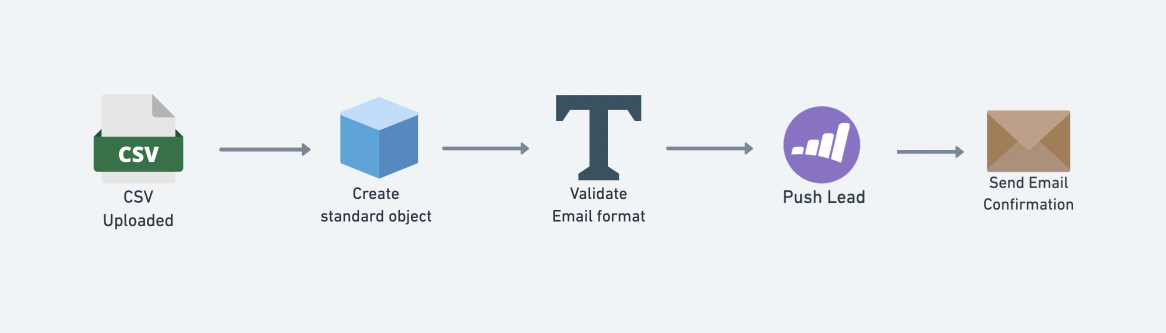
The purpose of this workflow is to capture leads from a CSV file and use these to create and update your contacts in Marketo.
This workflow is fired every time a CSV file is uploaded to a Tray form:
Prerequisites
To implement this workflow, you will need the following:
- API credentials for Marketo
- A CSV file with the correct column setup. You can use this template to set up your CSV file.
Getting Live
Click Use Template button to deploy the template in your chosen Workspace. Then take the following steps to configure the workflow and start submitting leads for processing:
The workflow will then start the process of pulling the leads into Marketo.
Key workflow steps
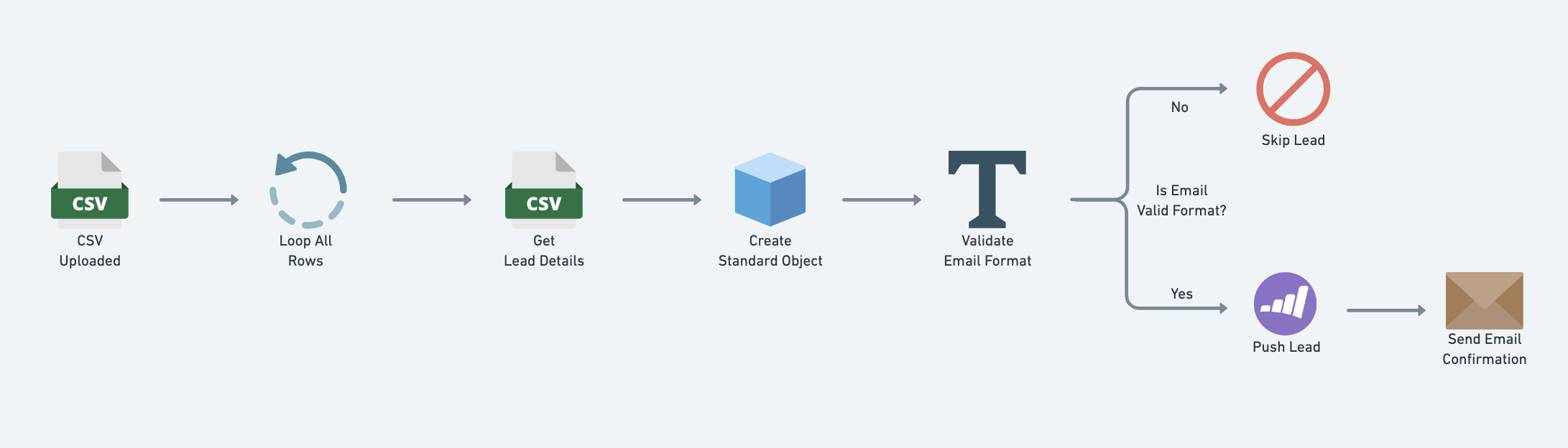
The following diagram gives a simplified breakdown of the key steps in the workflow:
Data mapping
The workflow uses the Data Mapper to dynamically respond to the 'Lead Source' in the CSV file and maps it to a machine-readable format:
Organic Search --> ORGANIC_SEARCH
Paid Search --> PAID_SEARCH
Email marketing --> EMAIL_MARKETING
etc.
This can then be passed to the Marketo 'Lead Source' (hs_analytics_source in the Marketo API) when creating / updating contacts.
Standardize
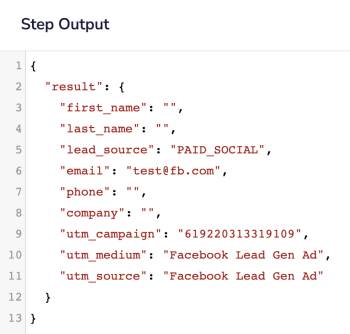
 This Object Helpers step transforms the Form data into a standard object with fields in the following format:
First Name --> first_name
Last Name --> last_name
Lead Source --> lead_source
etc.
Note that the actual value for Lead Source ('PAID_SOCIAL' etc.) is mapped according to the data mapping section above.
For each lead we will then have a simple object which can be easily accessed by later Marketo steps using jsonpaths such as $.steps.object-helpers-1.result.first_name:
Validate Email
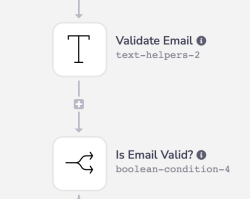 The lead’s email address is validated for the appropriate
 user@domain.com format.
Push Lead

A search is made for an existing lead in Marketo using said lead’s email address as the unique identifier. If a Marketo lead does exist, the contact record is updated. If a Marketo lead does not exist, a new contact record is created.