










.DkNUKaKx_ZLAT4m.webp?dpl=dpl_HBsAfzc4Dg65p5qW4xersWubPYnm)








Tray iPaaS / Intelligent Integration
The iPaaS built for the AI era.
One platform for process automation, data integration, API management, connectivity, and IDP. No bolt-ons, no middleware tax, no sprawl — just a modern iPaaS that runs everything together.
Thanks — someone from our team will be in touch soon.
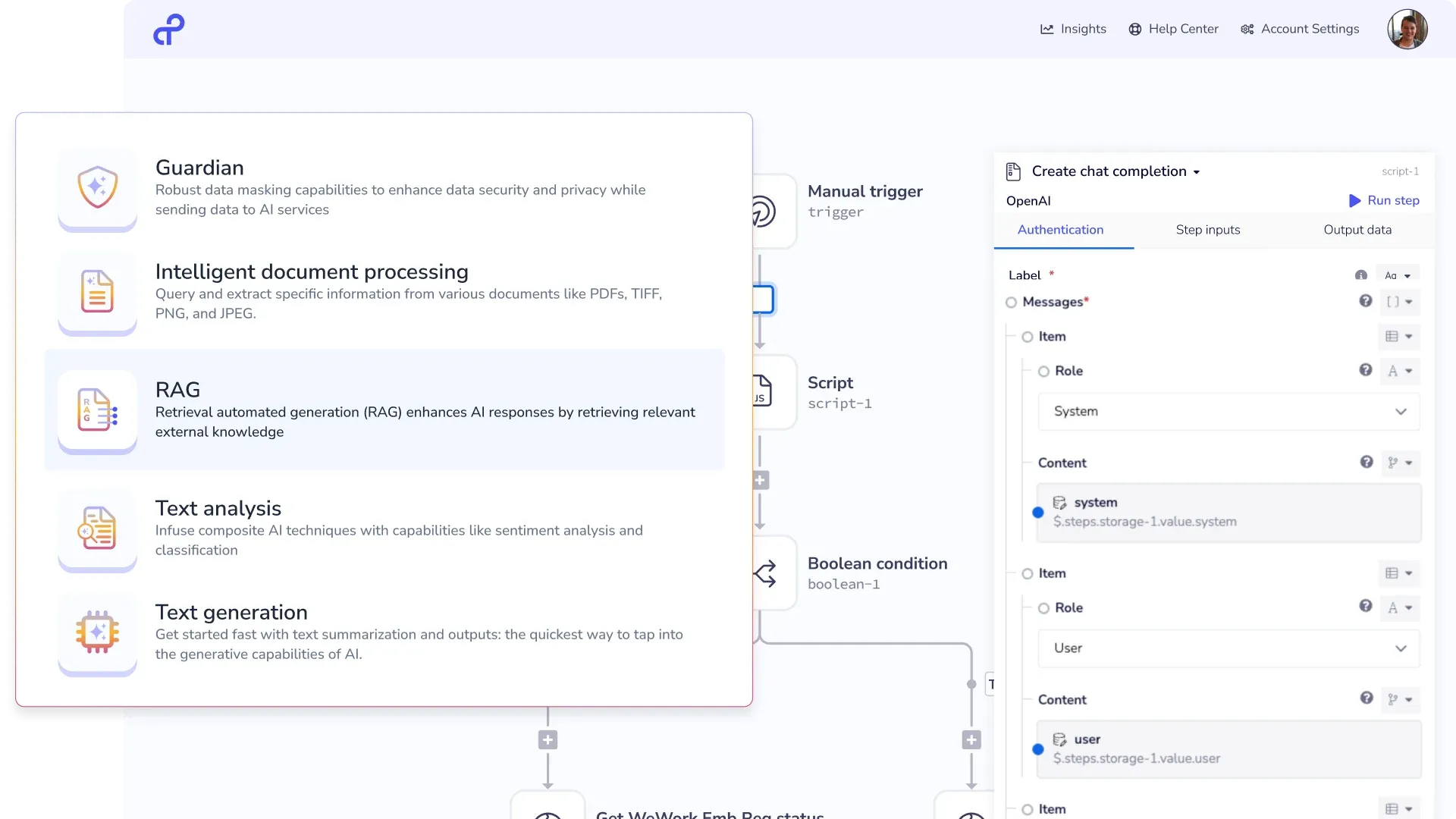
What it does.
Process automation
Visual workflows with branching, approvals, and error handling. Ship any process in days — without custom code.
Data integration
Real-time syncs, change data capture, and batch pipelines across your SaaS and warehouse stack.
Connectivity
Every major SaaS, database, and cloud service — one maintained connector library, always up to date.
API management
Publish, version, rate-limit, and govern APIs without custom middleware. Build a real API portal — not just glue code.
Intelligent document processing
Extract structured data from invoices, contracts, and forms with AI. Validate, route, and push directly into your systems.
Embedded integrations
Give your customers native integrations in your product — 700+ connectors, white-label UI, OAuth handled. Ship integrations in weeks, not quarters.
8 weeks → 1 week project timeline vs. MuleSoft
“Tray's speed of innovation is astronomical. It's a technically amazing product that turned an 8-week project into a week's work and saved us hundreds of thousands in development resources.”
What you can build
See what teams build with Intelligent Integration.
Real automation and integration scenarios teams run in production — from lead routing to data pipelines.
-
Lead routing
Score, enrich, and route inbound leads from Marketo or HubSpot to Salesforce in under 3 minutes — with deduplication, territory assignment, and rep notification built in.
-
Employee onboarding
Provision accounts across Okta, Google Workspace, Slack, and Jira the moment a hire closes in Workday. No IT ticket. No manual steps.
-
Order management
Sync orders in real time across Shopify, NetSuite, and your 3PL. Handle exceptions, route refunds, and update inventory without custom code.
-
Always-fresh warehouse data
Pull from Salesforce, Zendesk, Stripe, and more into Snowflake or Databricks — on schedule, on trigger, or in real time. Analytics teams stop waiting for stale exports.
-
One record, no data wrangling
Merge CRM, support, and billing into a single enriched customer record. Agents and analytics tools get the full picture without ops stitching it manually.
-
Quote-to-cash, no hand-offs
Connect CPQ, billing, and ERP for automated invoicing, revenue recognition, and renewal alerts — from signed quote to recognised revenue without touching it.
-
Integrations customers actually use
Give your customers native integrations with your product. Ship new connectors in days, not quarters — no custom engineering per integration.
-
GTM data quality
Clean, dedupe, score, and route pipeline data across your full GTM stack. Ops teams stop fixing data manually and start improving the process.
-
Self-serve API access
Publish a versioned, rate-limited, authenticated API on top of your internal systems. IT manages the contract; builders consume it — no custom middleware.
AI runs through everything.
Tray.ai isn't a traditional iPaaS with AI bolted on. AI is native to the platform — use it as an AI gateway to route and govern LLM calls, infuse intelligence into any business process, and handle structured data and unstructured documents in the same workflow.
- AI Palette: drop LLM calls, classification, and extraction into any workflow step
- AI Gateway: route, govern, and monitor LLM calls across your stack
- Vector Tables: store and query embeddings natively — no separate vector database
- LLM Connectors: native connections to OpenAI, Anthropic, Google, Bedrock, and Azure OpenAI
- IDP: extract structured data from unstructured documents in the same pipeline
- Claude CDK: generate production-grade connectors from an API spec — new integrations in minutes
Why is Intelligent Integration different?
Built different. By design.
No frankenware
Process Automation, Data Integration, Connectivity, API Management, and IDP built as one — not acquired and stitched. Same data model, same governance, same connector library throughout.
Same platform as your agents
Connectors, governance, and data are shared with your AI agents. No stitching two separate systems together.
Connectors that don't rot
One managed library, always up to date. Not hundreds of open-source repos your team has to patch every time a vendor changes their API.
Teams already running on Intelligent Integration
Real results from teams running in production.

Sales ops · IT / Business Tech
Abridge needed governed, auditable AI access to Salesforce for its go-to-market team — without exposing a generic, unverifiable AI connectio…
Read the story →
IT / Business Tech
Zuora runs 200+ SaaS applications across the enterprise. As AI capabilities surfaced across those systems — each with its own interface, ass…
Read the story →
IT / Business Tech
MCP adoption spread rapidly across J.W. Pepper without centralized governance. Teams were building AI agents faster than IT could establish …
Read the story →Frequently asked questions
How does this compare to Workato or Boomi?
+
Workato is a polished recipe-based automation platform — fine for SMB, constrains complex workflows. Boomi was built for legacy on-prem connectivity and shows its age. Intelligent Integration is faster to ship, cheaper at scale, and AI-native. Full comparisons at /compare.
Can we keep our existing automations if we migrate?
+
Yes. Most customers migrate incrementally — keep legacy workflows running while building new ones on Tray.ai. Yext moved 100+ services off MuleSoft in 3 months at 60% lower cost.
What scale can it handle?
+
Cisco runs 600M+ tasks a year across 60+ automations. DocuSign runs 150M tasks a month. Auctane processes 3B orders a year. We don't run out of headroom.
Tray iPaaS
Built as one. Not stitched together.
Every capability runs on the same connector library, governance layer, and data model — designed together from day one.
See Intelligent Integration in action.
Walk through a scenario from your stack with a Tray.ai expert.
Thanks — someone from our team will be in touch soon.