Import preview
The Import Preview helps you see the potential import impact before it happens
The Import Preview enables you to see how a project will be impacted before an import is completed:
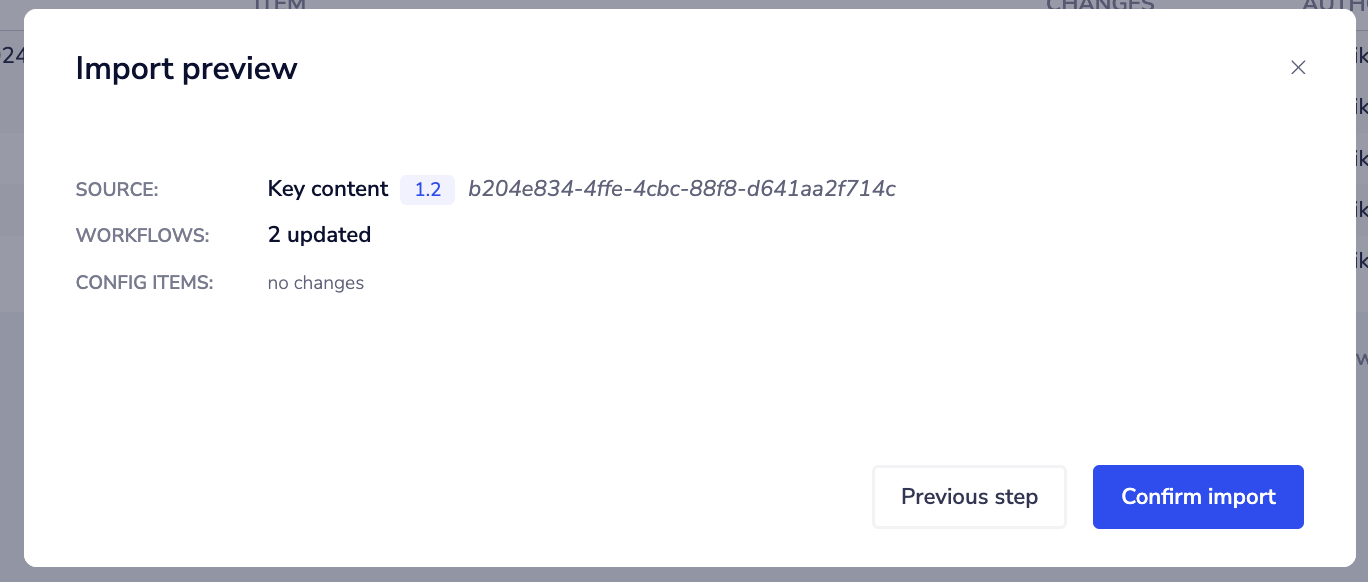 At the top, the preview shows details about the source project - its name, version, and ID.
Below that, each asset type in the project is listed as its own collapsible section, with a summary of the pending changes on the right of each section header (for example, "3 updated", "2 updated, 2 deleted", or "No changes"):
- Workflows
- Config items
- Data tables
- Vector tables
- APIM operations
- Agents
Expand a section to see the individual items and their status - Created, Updated, or Deleted. For an updated item, the preview shows a side-by-side comparison of the current values against the incoming values, so you can see exactly what will change - for example, a renamed vector table showing its old and new name alongside its dimensions and metric.
As with other assets, the preview reflects changes to asset structure, not stored data. See What's included when assets move for details.
For data tables and vector tables, a Deleted status in the preview means the table (or, for data tables, individual columns) will be archived in the target rather than permanently removed, so your stored data is preserved. See Archiving data tables and vector tables.
If you're working with embedded solutions, the preview will show how the import will affect your current draft solution:
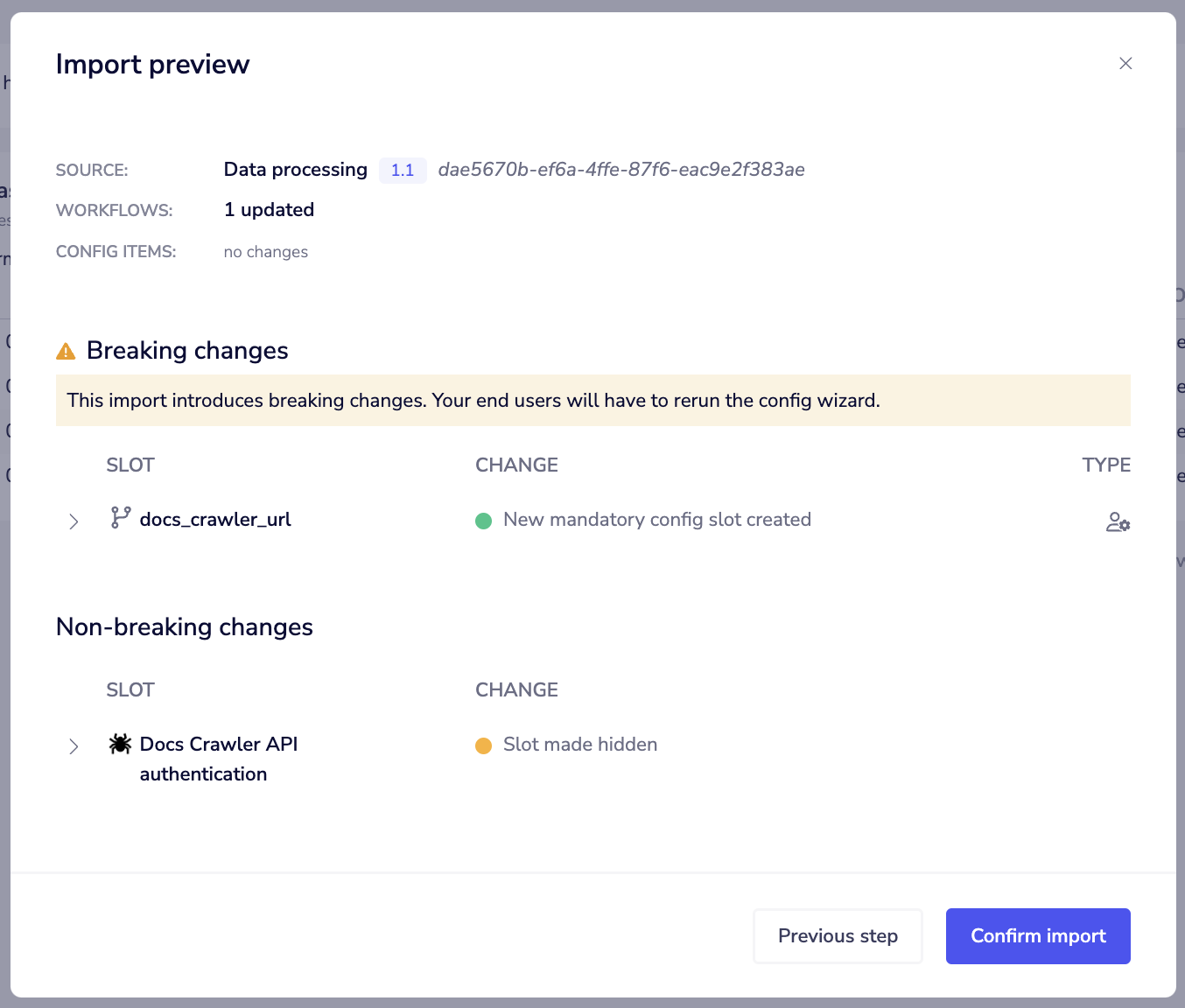 It will tell you if any solution slots will change and give you detailed information about any breaking or non-breaking changes, why the changes are happening and what actions are needed (if any).
This helps you avoid unwanted surprises when making updates.
Please see our documentation on Change management (Embedded) for more information on breaking changes and how to manage rollout to your End Users.
It will tell you if any solution slots will change and give you detailed information about any breaking or non-breaking changes, why the changes are happening and what actions are needed (if any).
This helps you avoid unwanted surprises when making updates.
Please see our documentation on Change management (Embedded) for more information on breaking changes and how to manage rollout to your End Users.