

Every workflow you run moves sensitive data through it: customer PII, credentials, API tokens, financial records, and the inputs and outputs of your models. Any of those values can surface in an execution log, where they sit in plain text for anyone with access to the workspace.
Modern AI stacks make this harder to see. Autonomous agents, MCP tool calls, and core integrations all run in parallel, and each one produces its own logs in its own format, scattered across the platform. Few teams have a complete picture of what is being logged, where it lands, or who can read it.
Logs are the layer most governance programs overlook. Any of those sources can write a credential, a token, or a record of personal data into a log with no warning and no friction. The exposure is already there, sitting across a dozen different places, waiting for the wrong person to open the wrong execution.
The stakes
The governance gap is real, and it is widening
The production numbers show where that gap bites.
Sources: Deloitte, State of AI in the Enterprise, 2026; IBM, Cost of a Data Breach, 2025.
The workflows with the most value, the ones touching HR, finance, and customer data, are the same ones that stall before launch. One audit finding, one accidental exposure, one over-privileged user with log access, and a promising pilot becomes an incident.
Logs full of live credentials are exactly the kind of exposure behind those numbers.
The enterprises that scale AI are the ones that can prove to their security teams exactly who can see sensitive data in their logs, and that the control is applied consistently across every workflow. That proof is what clears a workflow for production.
New in Guardian
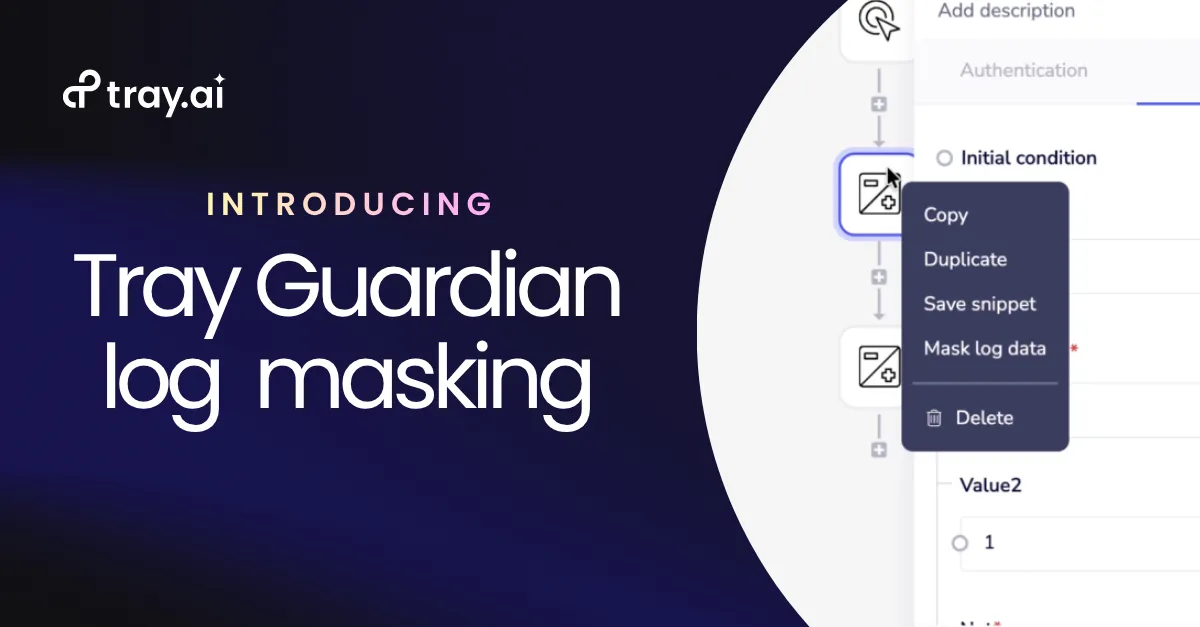
Introducing Guardian Log Masking
Guardian has protected sensitive data at the workflow level, masking values at the step so the wrong data never reaches the wrong place. Guardian Log Masking extends that protection to the log itself.
It gives you one control for masking sensitive data in logs across everything Tray runs: agent tool calls, MCP workflows, AI-driven automations, and traditional integrations. The same control applies to any step, whatever its type, and every masked step rolls up into a single workspace-wide view. Tray is the only iPaaS that governs sensitive data in logs across agents, MCP, and integrations from one control plane.
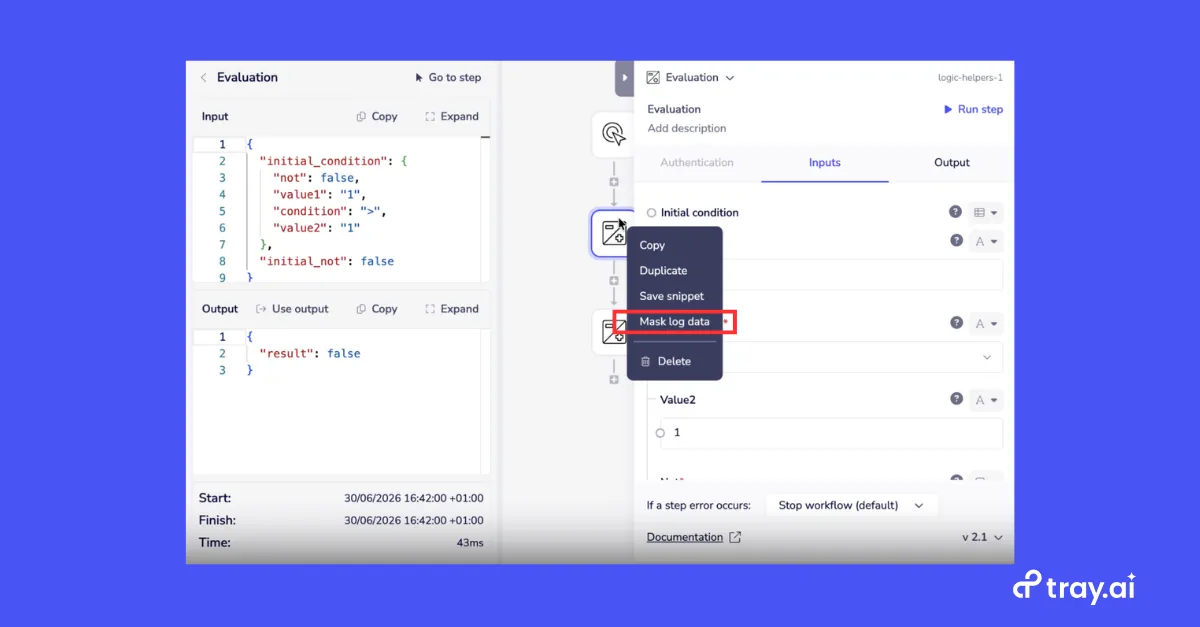
An admin marks a step as masked. Its input and output values disappear from the logs while the schema stays visible, and the workflow runs exactly as before. Masking touches the log layer and nothing else.
Capabilities
How it works
Sensitive values, gone from your logs
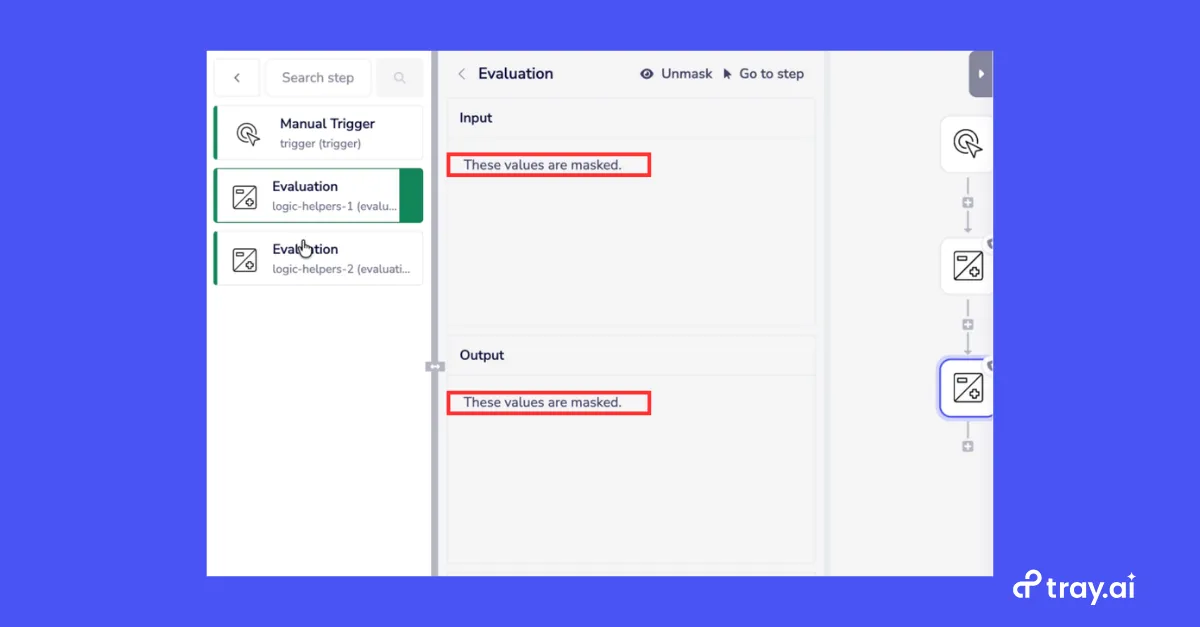
A single mask control on any step hides both its inputs and outputs. The values disappear while the schema stays visible, so your team can debug on structure without ever reading raw sensitive data. Masked values are not indexed or searchable either, so there is no exposure through a side door.
Reveal on demand, with a full audit trail
Masked data is visible to admins only. Non-Admins see masked placeholders and cannot reveal the underlying values. When an admin genuinely needs a value, they can reveal it, and every reveal is an explicit action written to the audit log. Your compliance team gets a timestamped record of who saw what and when.
One view of everything that is protected
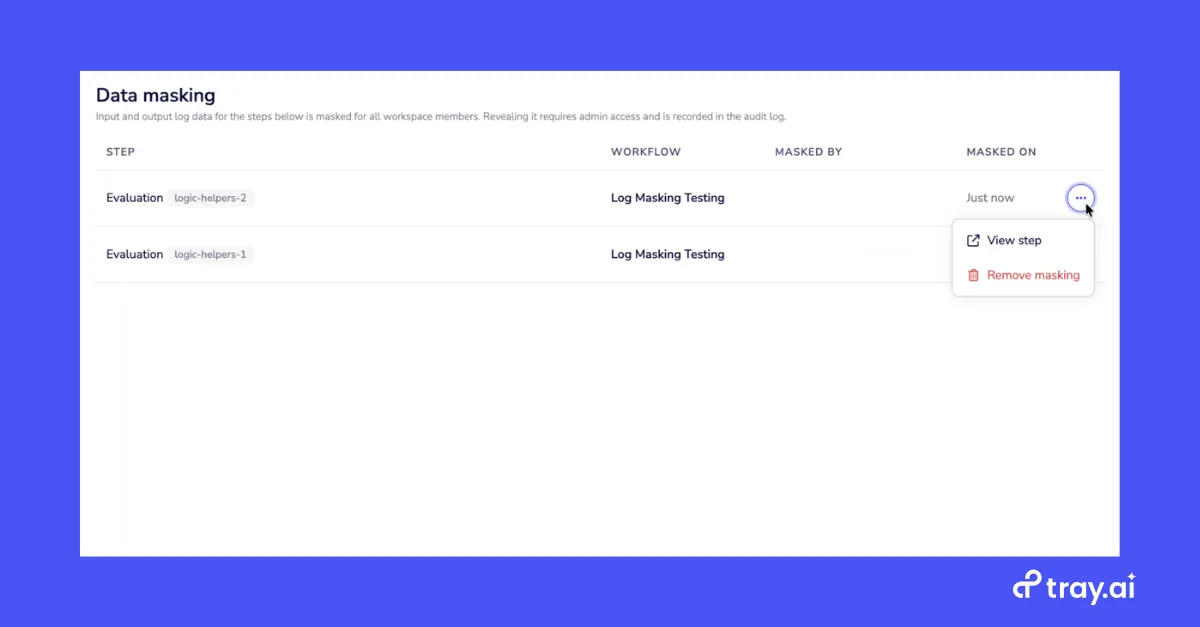
A central data masking view in workspace settings lists every masked step across the workspace: the step, the workflow it belongs to, who masked it, and when. You can confirm that masking is applied consistently across your whole stack without auditing workflows one at a time.
The bigger picture
A continuum of log protection
Guardian Log Masking is the newest addition to Tray’s log protection controls, a family built to give you the right level of protection for each use case. Step-level masking with full auditability sits at one end. For the most privacy-sensitive workflows, disabling log storage keeps log data out of the builder and holds what Tray retains to a minimum. You choose the level each workflow needs.
The payoff
Ship the workflows you have been sitting on
Autonomous action at enterprise scale is the point of AI agents. Autonomy without governance is a liability your security team will not sign off on.
Guardian Log Masking is part of the Tray AI Orchestration Platform, built for enterprises that need to move quickly and keep control of their data. It is the difference between a workflow that stays in pilot and one that goes to production.
Go deeper
AI governance built in, not bolted together.
Guardian Log Masking is one control inside Tray's AI Governance layer — the same access controls, audit trails, and compliance framework across agents, MCP, and integrations.
Explore AI Governance →