








.DkNUKaKx_ZLAT4m.webp?dpl=dpl_27YiVb46fG1g2qXC7FPsjnva6Vrw)








Tray iPaaS / iPaaS Development
Code or canvas. One iPaaS.
Tray Build for visual low-code. Tray Headless to build agents, tools, and integrations from any coding assistant, fully governed. Two first-class interfaces to one platform, same governance whether you write code or drag a canvas.
Thanks — someone from our team will be in touch soon.
What it does.
Tray Build
The visual low-code builder for developers, analysts, and operators. Branching, approvals, and error handling, no custom code.
Learn more →Tray Headless
NewBuild agents, MCP tools, automations, and integrations from any coding assistant, fully governed. Dedicated plugins for Claude Code and Codex; MCP for the rest.
Learn more →Visual workflow canvas
Drag, connect, and configure complex workflows — branching, loops, error paths — without a line of code.
Headless for Claude Code & Codex
Dedicated plugins for Claude Code and Codex. Config, typed tools, validation hooks, and six built-in skills — out of the box for both.
AI steps, built in
Drop LLM calls, classification, and document extraction directly into any workflow step. No separate AI platform.
Tray Headless MCP
Full platform as MCP services — for Cursor, Windsurf, or any MCP-compatible coding assistant.
38 workflows built in a 2-week POC
“Tray is the holy grail for software development. It has allowed us to build a single master workflow that is infinitely configurable and scalable without cumbersome code.”
What you can build
See what teams build with iPaaS Development.
Watch how purpose-built agents handle real work — short walkthroughs of how each one operates.
-
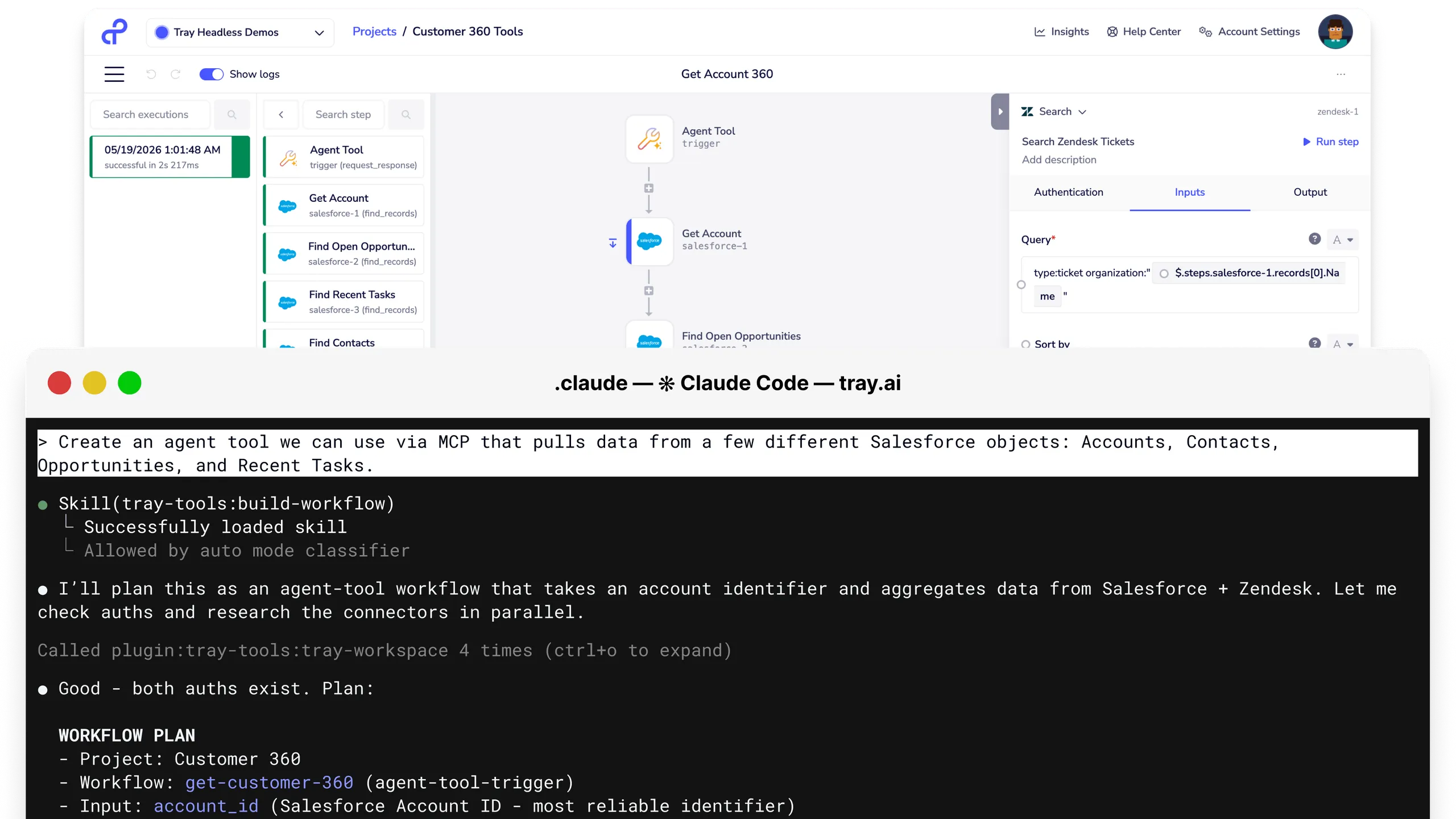
Build a workflow in Claude Code.
Use Tray Headless for Claude Code to scaffold, configure, and validate a multi-step workflow — connectors, branching, error handling — without leaving your coding assistant.
-
Hand off to the ops team.
The same workflow built headless opens in Tray Build's visual canvas. Operators can extend, monitor, and manage it without touching the code.
-
Generate new connectors from an API spec.
Claude CDK turns an OpenAPI spec into a production-grade Tray connector. New integrations in minutes — not days of boilerplate.
-
Validate before you deploy.
Tray Headless MCP's Validate tier checks per-step schemas and runs whole-workflow structural audits. Catch broken configurations before they reach production.
-
Build once, use everywhere.
A developer builds a workflow in Claude Code. An operator edits it in Tray Build. IT governs it centrally. Same artifact — every team working in their preferred surface.
-
Reuse approved building blocks.
Publish agents, sub-workflows, and connector configs as composable building blocks. Teams across the org build on approved patterns — IT knows exactly what's in production.
The full Tray Headless stack.
Layered from the best coding-assistant experience down to direct REST access. Every layer exposes the complete platform.
- Headless for Claude Code & Codex — dedicated plugins with CDK, skills, and validation hooks
- Tray Headless MCP — full platform, any coding assistant
- Headless Core — RESTful platform APIs
- Tray AI Orchestration Platform — Integration · Automation · MCP · Governance · 700+ connectors
Frequently asked questions
What's the difference between Tray Build and Tray Headless?
+
Tray Build is the visual low-code builder — the fastest way to build workflows and agents without writing code. Tray Headless is the same platform exposed for coding assistants — Claude Code, Cursor, Codex, Windsurf. Both interfaces share the same connectors, governance, and execution engine. Teams choose the right surface for the right job.
Is Tray Headless MCP-only?
+
No. Tray Headless MCP is the recommended path for coding assistants, but Headless Core — Tray's full RESTful platform APIs — is available for teams who want direct API access without MCP.
How do the dedicated plugins differ from Tray Headless MCP?
+
Tray Headless MCP is the foundation — the full platform as MCP services, compatible with any coding assistant. The dedicated plugins for Claude Code and Codex are built on top of that: config files, typed tool definitions, response formatters, validation hooks, and six built-in skills, each optimised for its coding assistant.
Which models can I route to?
+
OpenAI, Anthropic, Google, AWS Bedrock, Azure OpenAI, and self-hosted endpoints. Routing rules can mix models per step or per agent — cost, latency, or policy-based.
Do I need a separate add-on for the developer experience?
+
No. Both Tray Build and Tray Headless are included in the standard platform license.
Tray iPaaS
Built as one. Not stitched together.
Every capability runs on the same connector library, governance layer, and data model — designed together from day one.
See iPaaS Development in action.
Walk through a scenario from your stack with a Tray.ai expert.
Thanks — someone from our team will be in touch soon.