

If you have spent any real time building integrations, you have a system that brings you a specific kind of dread. For me, it is NetSuite. I have gotten pretty good at it over the years, and it still makes me sigh a little every time it lands on my plate.
So when I wanted to show what building on Tray Headless actually feels like, I picked a use case I know is a genuine grind: a bidirectional sync between Salesforce and NetSuite. It is about as common as ERP integration work gets. Sales closes deals in the CRM, finance bills in the ERP, and the two have to agree on who the customer is. When they drift, someone in RevOps or finance reconciles records by hand and quote-to-cash slows down. It is a bread-and-butter ask, and it is fiddly every single time. Exactly the kind of thing I would get handed on a Tuesday.
Here is how it went. You can watch the whole thing below, or read on for the play by play.
The goal
What I set out to build
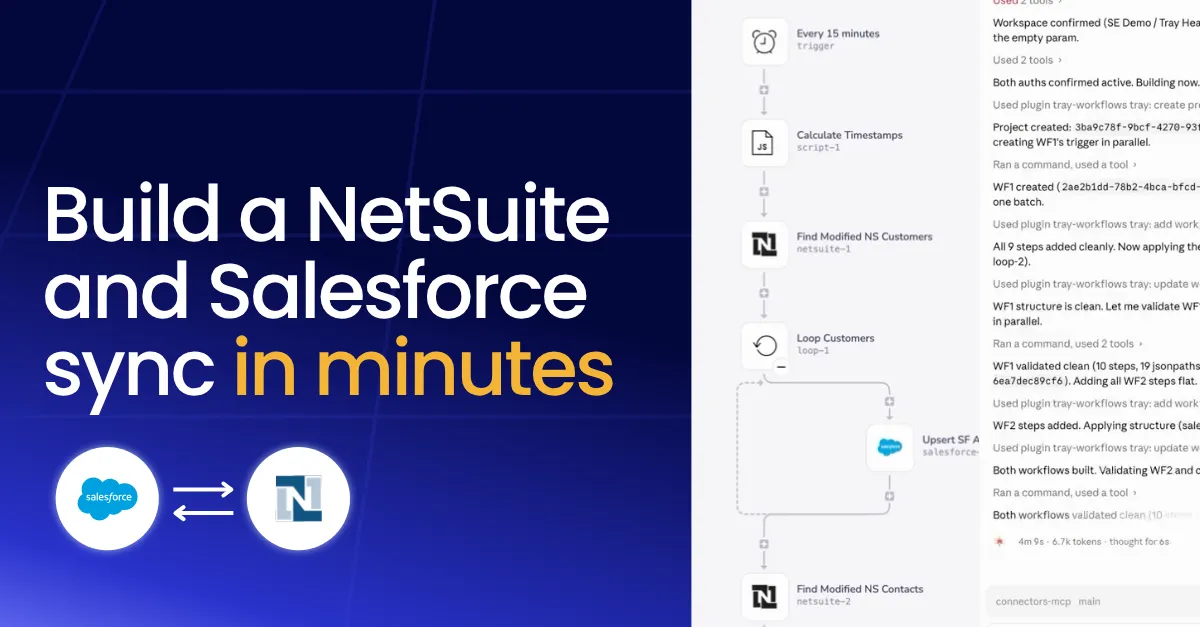
The goal was a two-way sync running on a 15-minute interval. Account and contact records from Salesforce get translated into customer and contact records in NetSuite, and anything that changes on the NetSuite side flows back to Salesforce. Every 15 minutes, the sync checks for records updated in that window and moves them across.
Nothing exotic. This is bread-and-butter ERP integration work, which is exactly why it is a good test. The details are where these builds get you: field types, upsert versus search logic, and keeping IDs straight across two systems that model the same customer differently.
Setup
The prep
Before touching Claude Code, I put together four files describing what I wanted. Think of them as the spec sheets you would normally get from whoever is requesting the integration: the sync requirements, plus some public documentation for the Salesforce and NetSuite objects involved. I used a mix of ChatGPT and Claude to research and draft them, then spent maybe ten minutes polishing the details. That was the entire manual effort on my end.
Worth being honest about what that prep is. It is the same thinking you would do for any integration, written down in plain language instead of code.
The build
Handing it off
I dropped the four files into Claude Code and gave it a simple instruction: build this, then run some tests to verify it works.
I am using the Tray Headless plugin for Claude Code, so Claude has access to the full Tray platform through a managed MCP server. That managed part matters. I am not standing up infrastructure or babysitting connections. The Tray team runs the MCP server, and my job is to connect it to Claude and give it a clear ask. From there, the plugin runs the same sequence every time.
What happened
What happened while I made coffee
Early on, Claude suggested cross-referencing IDs between the two systems so records stay linked across the sync. Good instinct, so I told it to go ahead. Then it got to work.
I will be straight with you: at that point I went and made a French press. By the time I came back, both workflows were built, validated, and running a live test.
The test was the part that got me. Claude created a test account in Salesforce, modified it so it fell inside the 15-minute window, caught it on the next run, upserted it into NetSuite as a customer record, and fired off an email notification I had asked for in the spec. Then it pulled up the execution logs so I could see every step. I checked NetSuite, and there was my test account, sitting exactly where it should be. I did not touch my keyboard for any of that.
Why it matters
The work that used to be manual
Here is why this lands for me. If you handed me this same integration and told me to build it by hand, I would be fine. I know Salesforce cold and I am decent with NetSuite. But fine still means a few hours of the same grind every time.
You research the field types. You work out whether you are upserting or searching on each side. You wire up every operation, test each direction, and chase down the errors that only show up once real data moves. Then, if you are being responsible, you document the whole thing. None of it is hard. All of it is time.
What changed here is that the research, the wiring, the testing, and even the log inspection happened without me driving. And because the plugin validates every step against Tray’s structural rules before anything deploys, the errors got caught up front instead of in production.
What's next
Why it works, and where it goes next
This works because of where the platform lives. The entire Tray platform is available as MCP services right inside the IDE. Connectors, workflows, validation, and governance are all there. Claude can research a connector, check which authentications already exist in my workspace, and build against real schemas because all of it is genuinely present, not simulated.
And whatever I build headless is not trapped in my terminal. The same workflow opens in Tray’s visual builder, so an ops teammate can extend it, remap a field, or adjust logic without touching code. Code or canvas is a preference, not a fork, and the governance travels with it either way.
I built a net-new project here, but this is just one shape. I have seen people point it at existing integrations to auto-generate documentation, or to remap data and add fields to something that already runs. Same tooling, different job.
I have been building integrations for a long time, and the honest takeaway is this: the tooling finally meets developers where they already work. The integration I used to dread is now something I can describe, hand off, and verify over a cup of coffee. That is a good place to be.
Want to build integrations like this from inside your IDE? Learn more about Tray Headless.