









.DkNUKaKx_ZLAT4m.webp?dpl=dpl_27YiVb46fG1g2qXC7FPsjnva6Vrw)









We just released the Tray CLI. One command moves an entire project between environments: agents, integrations, APIs, MCP servers, and automations, all of it arriving together. Here is why it is important for every team shipping AI now.
Take one agent handling inbound support tickets. It has a scope and a prompt, it calls eight tools, and it reaches those tools through three MCP servers. Some of them hit internal APIs the platform team publishes. Behind them sit a dozen integrations across the ticketing system, the CRM, the identity provider, and the warehouse, plus the automations that fire when the agent hands off and the pipelines feeding it data on schemas its prompt assumes.
And those are only the systems. Counted the way a release has to count them, every step, field mapping, credential, tool definition, and guardrail, one use case runs to 200 or more discrete artifacts. Enterprises are running dozens of them, across multiple teams, sharing components.
The systems are what a team talks about. The artifacts are what a release has to move, in the right order, into the right environment.
200 artifacts, 200 ways to drift
Those 200 artifacts are not 200 copies of the same thing. An agent’s scope and guardrails, a tool definition, an MCP server, a published API, connector setup, integration logic, a data pipeline: structurally these share almost nothing, and each kind arrived with its own console, its own configuration format, and its own way of being deployed. API management was a separate product long before AI showed up.
Now multiply that by environments. Every one of those components authenticates to something, and authentication is environment-specific by definition. A dozen integrations is a dozen credential resolutions per environment, plus target project mapping, plus whatever OAuth applications have to exist on both sides before anything will import at all. This is the part teams still do by hand after they have automated everything else.
Webhook URLs regenerate on import, so whatever was calling them is calling nothing. Anything with a dependency the target does not hold refuses to import. At least those failures announce themselves.
The worse case is the one that does not. A connector still pointing at the sandbox it was built against. A credential that resolved to dev, because dev is what the target happened to hold. A prompt that assumes a schema this environment’s pipeline no longer produces. Nothing errors. The agent still answers, the workflow still runs, the pipeline still lands rows, and all of it is happening against the wrong thing. You find out from a customer.
There is no separate AI team to hand this to
Nobody files a ticket for an AI project anymore. They ask for an integration and mention that the agent will need it, so the project ships an MCP server. The workflow picks up a classification step somewhere in the middle. The API you published for a partner turns out to be a tool inside somebody’s agent.
Partial promotion is broken promotion
The agent calls a tool. The tool wraps an integration. The integration moves data on a schema the agent’s prompt assumes. A change at any level changes the behavior of everything above it. Widen a field mapping and the agent now sees data it was never tested against. Rename a tool and the agent stops finding it.
Move those pieces on different days and production runs a combination nobody tested. Every individual piece is correct. The break is in how they fit, which is why it is so hard to find afterwards.
There is no version of “we’ll move the rest next week” that leaves a working system in production.
The industry built agent authoring and skipped agent release
Version the artifact, target the environment, automate the release, keep the record. That discipline is old, boring, and settled for application code, and integration platforms inherited it.
AI components arrived with almost none of it. Organizations ended up with two or three release processes for a single business capability. A mature one on the integration platform, a different one on the agent framework, and frequently none at all for the MCP layer, where someone reconfigures things by hand in the target environment and hopes they remember what they did.
Separate paths ship a dependency graph in pieces, out of order, approved by different people on different days.
“Adopting agentic AI without transforming the foundations of software delivery will amplify friction and introduce greater cost, risk and operational complexity.” — Gartner, Checklist for Successful Adoption of Agentic AI in the SDLC
The industry has spent two years on how to build agents and close to nothing on how to ship them. Agent builders, prompt management, evaluation frameworks, model routing, tool catalogs. The authoring side is crowded and well funded. Gartner’s own account of where the returns come from ends on the piece that got skipped. Early adopters see the largest benefits from embedding AI consistently across the SDLC, “from ideation and coding to testing, and release processes.”
Release processes are the constraint now, ahead of model quality or integration coverage. An organization can build forty useful agents and put a handful into production, because production requires a promotion process nobody built.
Nowhere to promote to
Ask most enterprises how many environments they run for their integration platform. The answer is usually dev and prod, with staging either shared across every team or missing.
On the incumbent platforms an environment is not a configuration choice, it is a runtime footprint. MuleSoft environments consume vCores you have already bought. Boomi means Atoms and Molecules to install, size, patch, and attach. Informatica means Secure Agents running somewhere. A new environment becomes a procurement conversation, and teams ration them.
That matters more for agents than it ever did for integrations. Deterministic logic can be unit tested: given this input, assert that output. Agent behavior depends on the model, the prompt, the tools available, and the actual shape of the data in front of it. Staging is only useful if what you promote out of it is exactly what you tested in it. A human rebuilding configuration in production is authoring, not promoting.
Tray works differently here. Execution is elastic, so there are no runtimes, workers, vCores, or agents to provision. An environment is a configuration act, which is why teams can run dev, test, staging, per-team, or per-project environments without a capacity purchase.
One project, one environment, one promotion
The Tray CLI closes that gap. A command line is not the novel part; most integration platforms have one by now. What matters is what lands in the directory when you pull, and what moves when you promote. Tray is one platform with one project model, and the CLI is that model with a command line on it. Authoring stays in the builder.
# point the CLI at the source workspace
tray init -w <dev-workspace-id>

# bring a whole project to disk as files
tray pull --project <project-id>

# local checksum comparison, no API calls
tray status

# show what the mapping would resolve to, without touching anything
tray env resolve production --dry-run

# apply it, then move the entire project
tray env resolve production
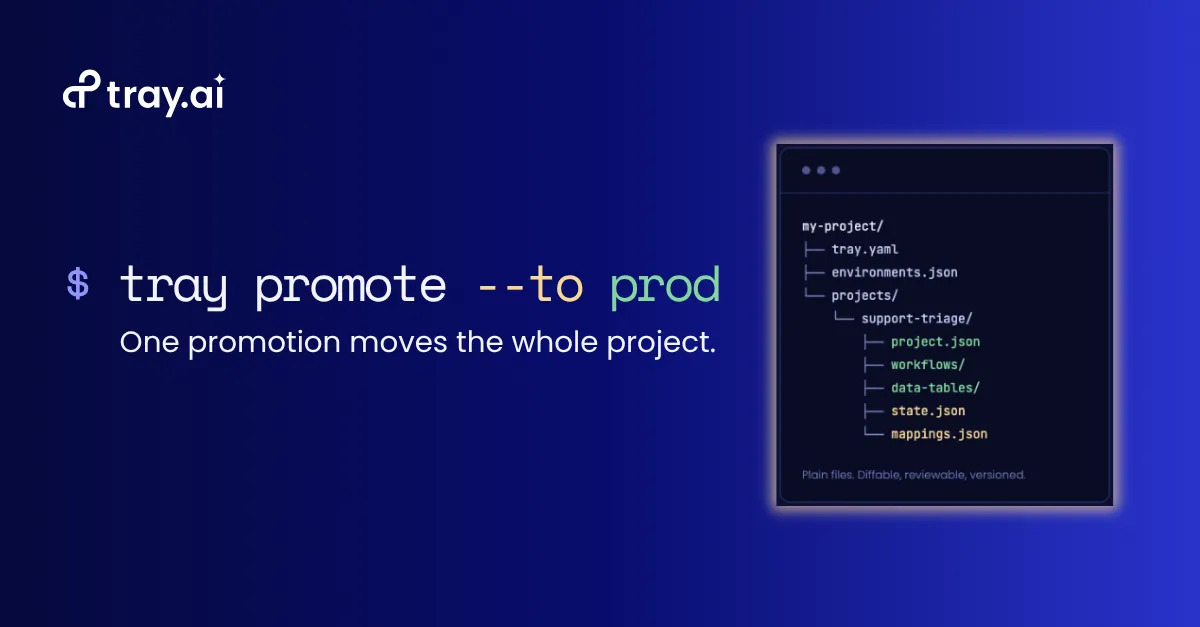
tray promote --to production
Drop that last command into GitHub Actions, GitLab CI, Jenkins, or Argo, and AI projects ship on the pipeline your team already runs, under the same approvals and gates as everything else.
Target project IDs and authentication mappings live in mappings.json, declared once per environment pair and reviewed like any other file. tray env resolve reads the authentications that already exist in the target, proposes a match for each one the project needs, and shows you the result before applying it. The dev Salesforce connection resolves to the production Salesforce connection without anyone retyping a credential, and the file stays editable when the guess is wrong. If a required mapping is missing or still holds a placeholder, promote refuses the attempt and tells you what is outstanding and where to fix it.
my-project/
├── tray.yaml
├── environments.json
└── projects/
    └── <project-id>--support-triage/
        ├── project.json
        ├── workflows/<slug>/workflow.json
        ├── data-tables/<slug>/
        ├── state.json
        └── mappings.json
Because the project artifact is files, it belongs in a repository. Pull and promote history is tracked in state files alongside the project, so a bad release is a known state rather than a reconstruction: rolling back means promoting the last good version. Each promotion also lands in the target project’s version history, so the audit trail exists in the workspace as well as the repository. When an agent starts behaving differently in September, the question “what changed in August, and who approved it” has an answer.
Three things make that safe to automate. The CLI never touches Git directly, so it works with whatever version control you already run. Destructive operations require explicit confirmation. Tokens live in a user-scoped config file, never inside the project you are syncing.
No component type gets its own release path, and no team maintains a second pipeline for the AI half of its stack.
Why one command is possible
Tray was built as one platform, with one project model, one execution layer, one development experience, and one identity and connection model. The project is the unit of work and it stays the unit no matter what you put in it. Add an agent to a project that started as a data sync and it is still one project.
For most of the iPaaS era a single project model was a convenience rather than a requirement. Integration projects were self-contained, changed slowly, and the seams between assembled products showed up as annoyance rather than failure. AI removed that tolerance. A single use case now spans every component type at once, changes weekly, and breaks if the pieces arrive out of step.
A release is a workflow
We describe Tray as an orchestration platform, and people reasonably hear a runtime claim: sequence the steps, move the data, handle whatever breaks at 3am.
A release has the same shape. A set of interdependent components, an order they have to arrive in, a state they all have to reach together, credentials that resolve differently in every environment, and a failure mode where one piece landing wrong corrupts everything downstream of it. It is the one moment when every component has to be right at the same time, and for AI projects it is the one that got left unbuilt.
Every project has AI in it now, so every release process has to move all of it.
If your integration promotion already works, go check what happens to the agent and the MCP server in that same release. If the answer is “separately,” or “by hand,” that gap will scale with your portfolio. Talk to us about the Tray CLI and how your team would put it in the pipeline you already run.
Gartner® Disclaimer
GARTNER is a registered trademark and service mark of Gartner, Inc. and/or its affiliates in the U.S. and internationally and is used herein with permission. All rights reserved.
Gartner does not endorse any company, vendor, product or service depicted in its publications, and does not advise technology users to select only those vendors with the highest ratings or other designation. Gartner publications consist of the opinions of Gartner’s business and technology insights organization and should not be construed as statements of fact. Gartner disclaims all warranties, expressed or implied, with respect to this research, including any warranties of merchantability or fitness for a particular purpose.
Gartner, Inc. Checklist for Successful Adoption of Agentic AI in the SDLC, Neha Agarwal, G00854933, 23 June 2026
Gartner, Inc. A Journey Guide to Successful AI Utilization in the SDLC, C.A. Swan, G00844726, 29 January 2026