

Enterprise AI governance
One set of controls for every app, agent and workflow you run.
Tray is SOC 1 and SOC 2 Type 2 audited. Sign-in, credentials, approvals and logs cover Tray Helix and Tray iPaaS, including what the AI can see and do.
The short answer
One platform layer holds the controls.
Tray puts AI-built apps, agents and integrations behind one platform layer, with one credential store and one sign-in across Tray Helix and Tray iPaaS. People sign in through your identity provider, credentials stay in Tray and never in code, deployments can wait for approval, and runs and deploys are logged. SOC 1 and SOC 2 Type 2 audits cover the whole platform.
For your security review
Four lines to forward to your security team.
What it is
One place to run the integrations, apps and agents your teams build with AI.
Sign-in and credentials
Sign-in through your identity provider. Credentials are held by Tray, not in code.
Record
Runs and deployments are logged, and deployments can wait for approval before they ship.
Evidence
SOC 1 and SOC 2 Type 2 audits, an annual penetration test and a DPA. Reports are in the trust center.
Tray Helix and Tray iPaaS use one credential store. They are complementary: run Helix alongside Tray iPaaS, or go all in on Helix. Everything below covers both products unless it is marked Helix only or iPaaS only.
AI agent governance: who can build, what agents can reach, what is recorded
AI agent governance is the set of rules for who can build an agent, which tools and data it can reach, when a person must approve an action and what record it leaves. On Tray, an agent in a Helix app acts with the app’s credentials and any tool can require approval, Agent Gateway sets which tools MCP clients can call, and every run is logged.
Securing AI
The AI only sees, and does, what you allow.
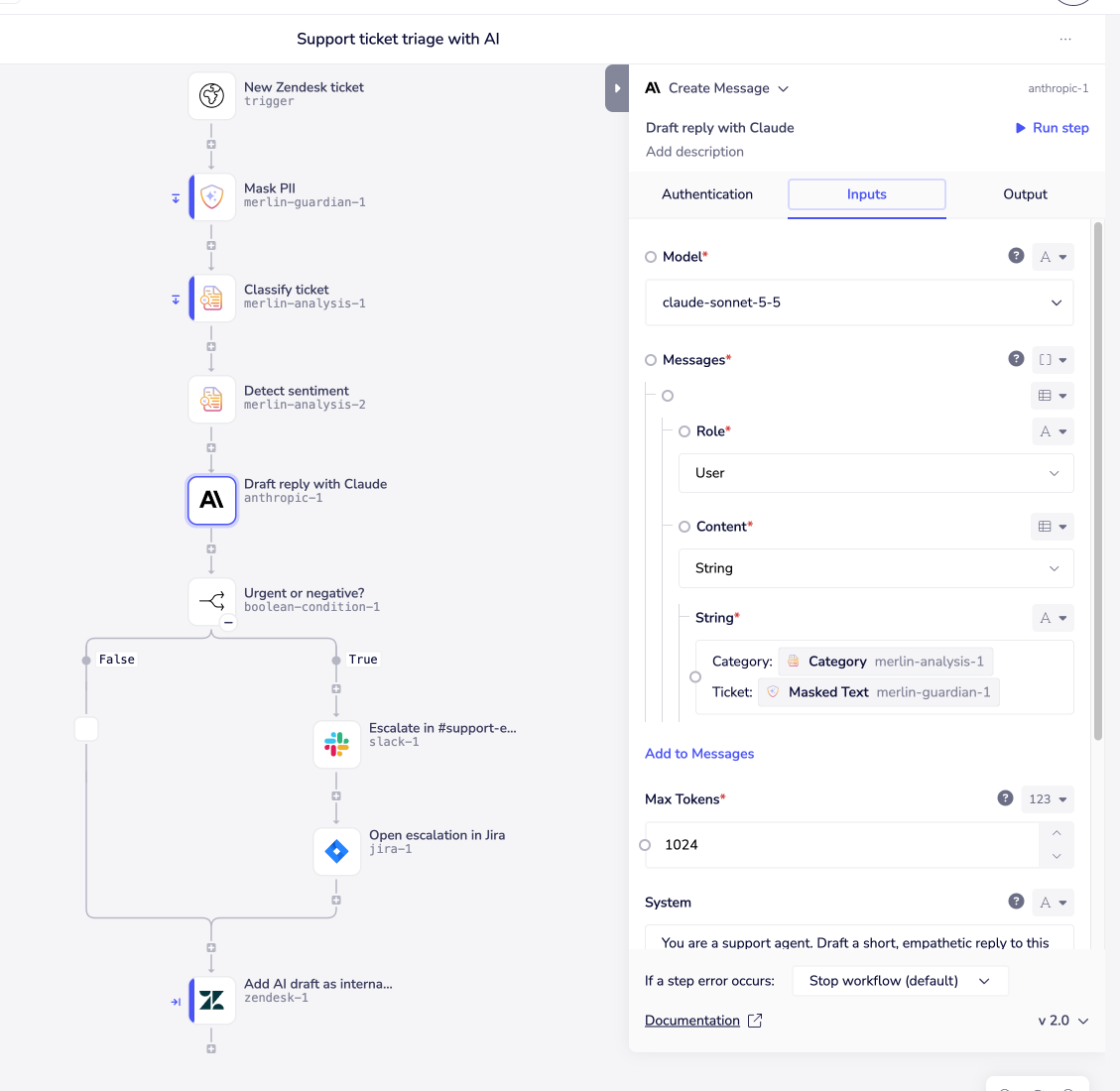
- Personal data is masked before it reaches a model. A workflow step takes names, emails and account numbers out of the text, and only the masked version goes to the AI. iPaaS only
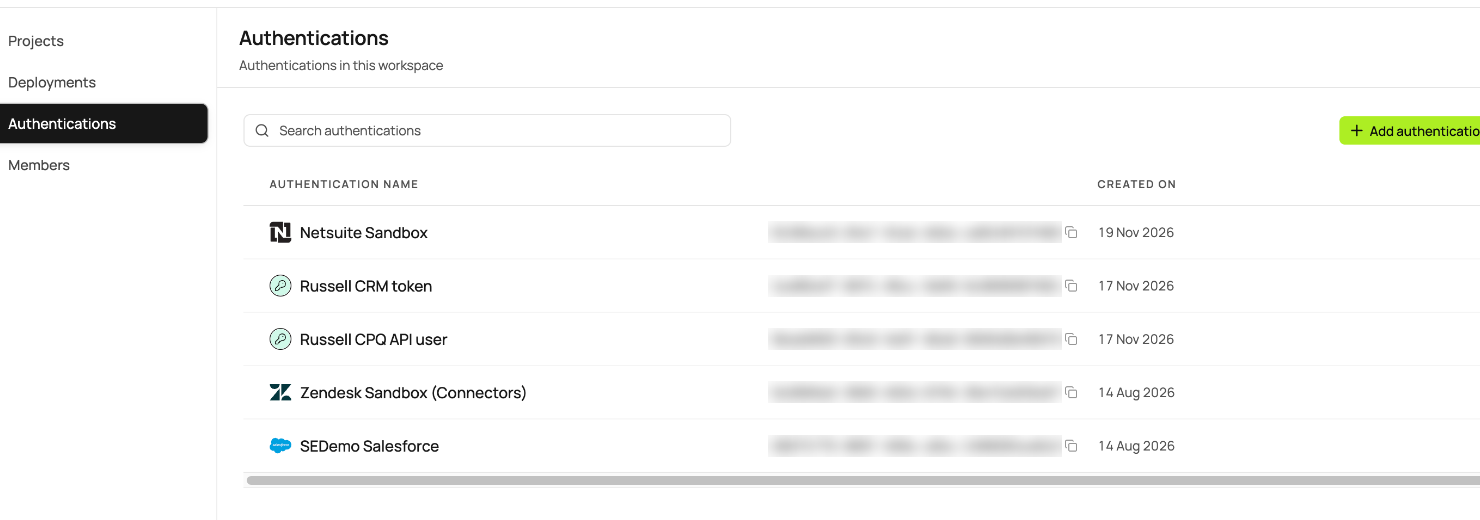
- Logins never reach the model. Tray holds the credentials and adds them to each request on the way out, so they are never in a prompt, in code or in an agent's context.
- Agents ask before they write. When an agent wants to change a record or send something, a person approves it first, and the approval is recorded. Helix only
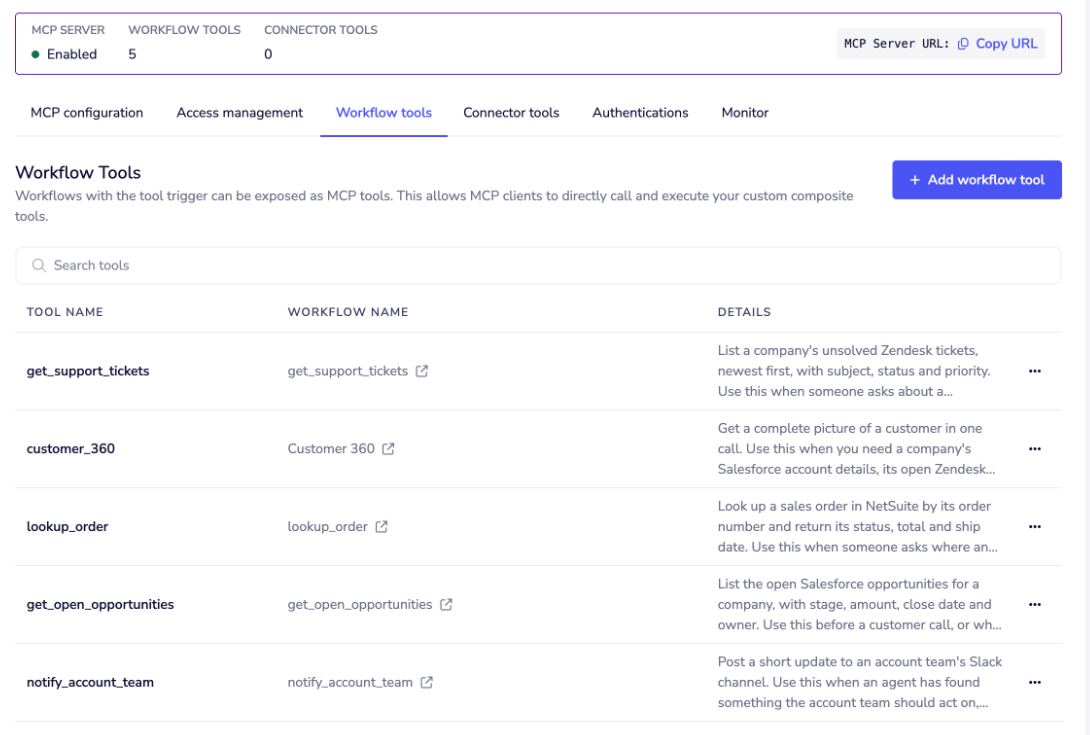
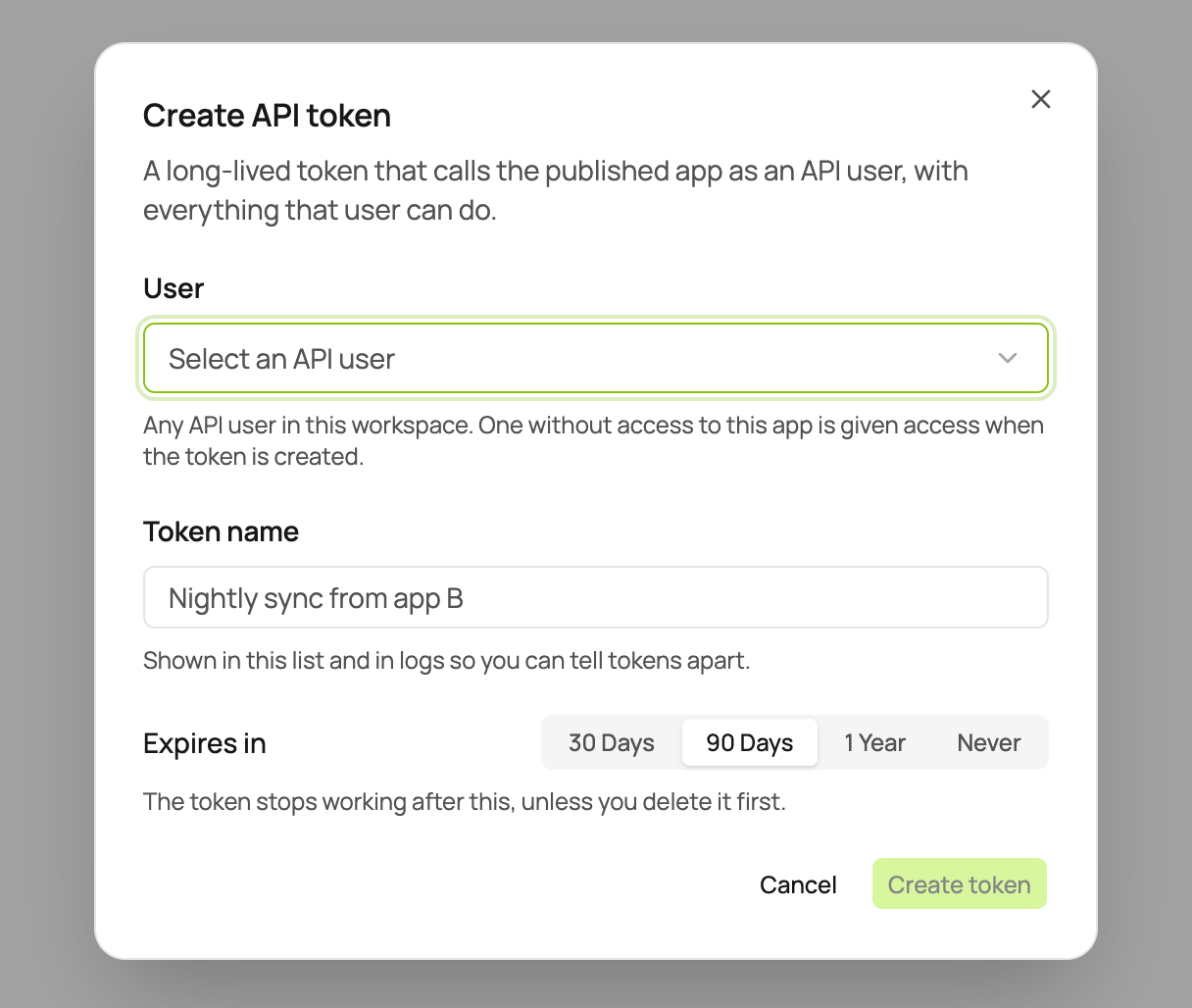
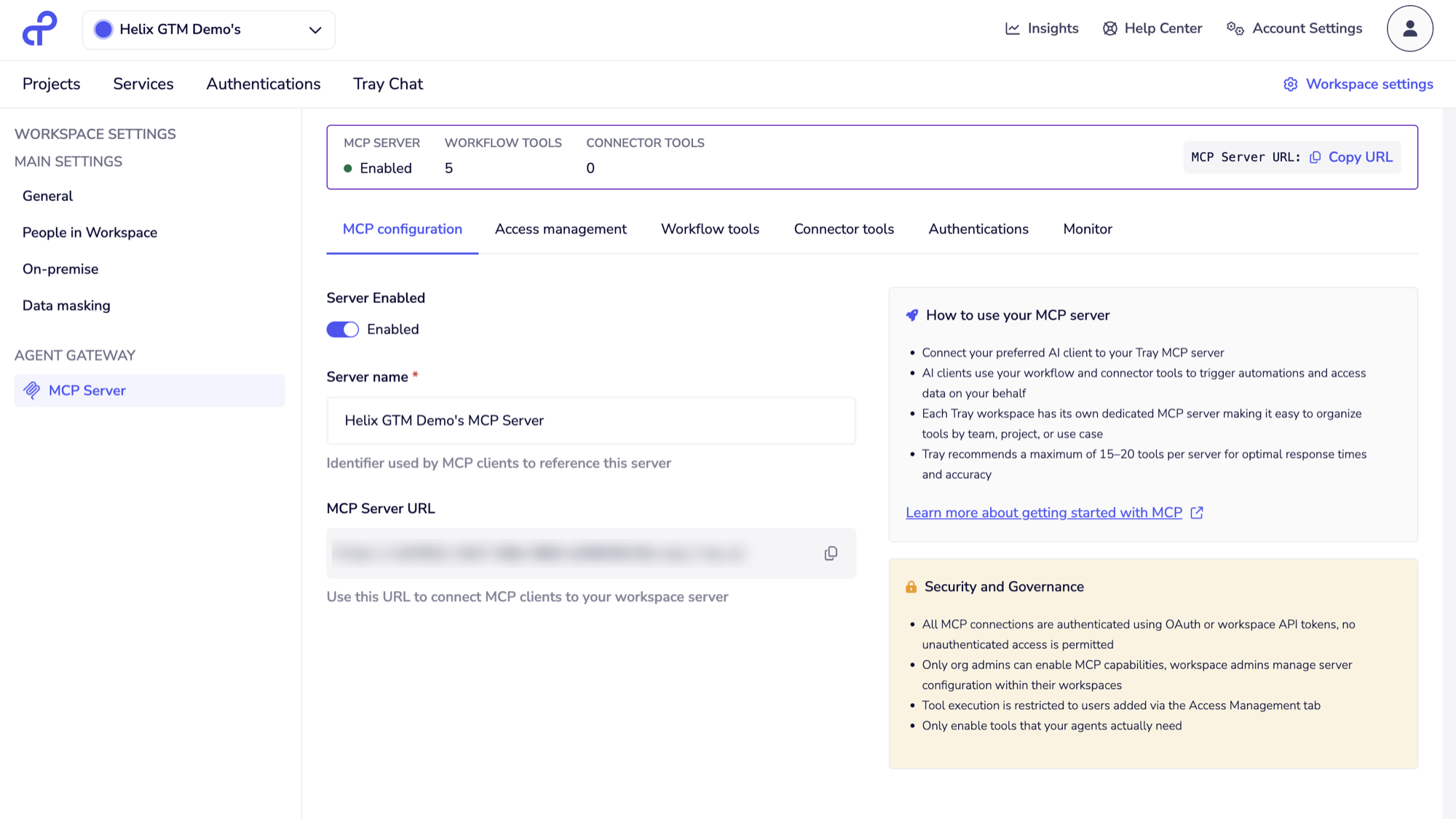
- Agents only reach the tools you allow. Each MCP server lists the exact tools it exposes, every connection signs in with OAuth or a workspace API token, and only the people you add can call them. iPaaS only
- Every agent run and tool call is logged: what started it, what ran and what came back.
- You choose the model for each AI step and each agent, and can change it without rebuilding anything.
Security
Every app, agent and workflow sits behind your access rules.
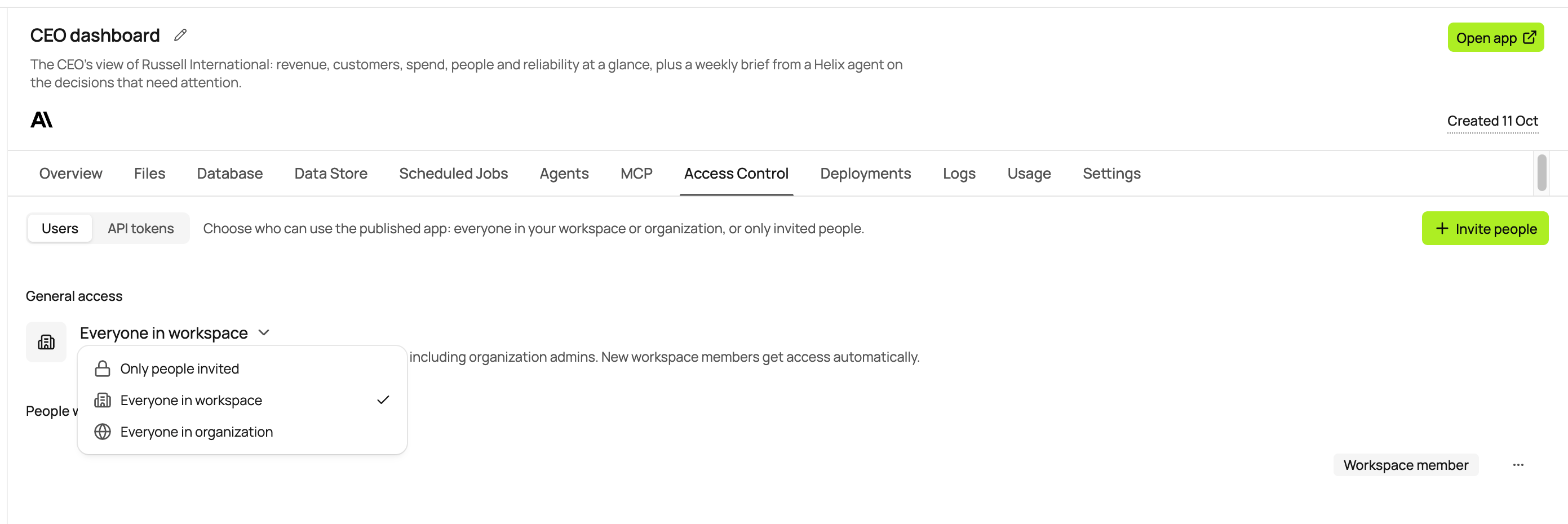
- Role-based access across apps, agents, workflows and MCP tools. Set roles at the organization, workspace or individual level, with Admin, Contributor and Read-only workspace roles, and scope access by workspace, connector, connection and MCP tool.
- Sign-in through your identity provider, with SSO.
- Credentials held by Tray, never in code. Logins are added to each request on the way out, so the builder, the AI assistant and the app code never receive them.
- An agent in a Helix app acts with the app's service credentials, through the app's own tools. The builder can mark any tool as needing a person's approval. Helix only
- Agent Gateway for MCP sets which tools each MCP server exposes and which people can run them. iPaaS only
- Network allowlists restrict which networks can reach your apps. Helix only
- Tray masks personal data before it lands in logs. iPaaS only
- Platform-stored data is encrypted at rest with AES-256, and network traffic uses TLS 1.3.
Compliance
Evidence for every audit, already collected.
- SOC 1 and SOC 2 Type 2 audited every year, covering the whole platform. Reports and DPAs are in the trust center.
- Annual third-party penetration test and a public bug bounty program.
- GDPR and CCPA, the EU-US, Swiss-US and UK-US Data Privacy Frameworks, and a signed DPA.
- Runs and deployments are logged, and every deployment approval is recorded in the activity trail.
- Run and deployment history is kept, so you can trace what ran, when and who changed it.
- Hosting in the US, EU or APAC, to meet data residency rules.
- HIPAA is supported.
Certifications and audits
Dated, and the same for Tray Helix and Tray iPaaS.
| Item | Detail | Applies to |
|---|---|---|
| SOC 1 Type 2 | Audited every year by Schellman & Company, LLC. Examination period August 1, 2024 to July 31, 2025. Reports are available under NDA. | Whole platform |
| SOC 2 Type 2 | Same examiner and period as SOC 1. The 2025 to 2026 examination is underway. Reports are available under NDA. | Whole platform |
| Penetration testing | Annual, by an independent third party. Most recent test September 23, 2026. | Whole platform |
| Bug bounty | A public program run with the security community. | Whole platform |
| Privacy | GDPR and CCPA, the EU-US, Swiss-US and UK-US Data Privacy Frameworks, and a signed DPA. | Whole platform |
| HIPAA | Supported. Commercial terms are on the pricing page. | Whole platform |
SOC is an audit, not a certification. Reports are available through the trust center.
SDLC
Set an approval before anything reaches production.
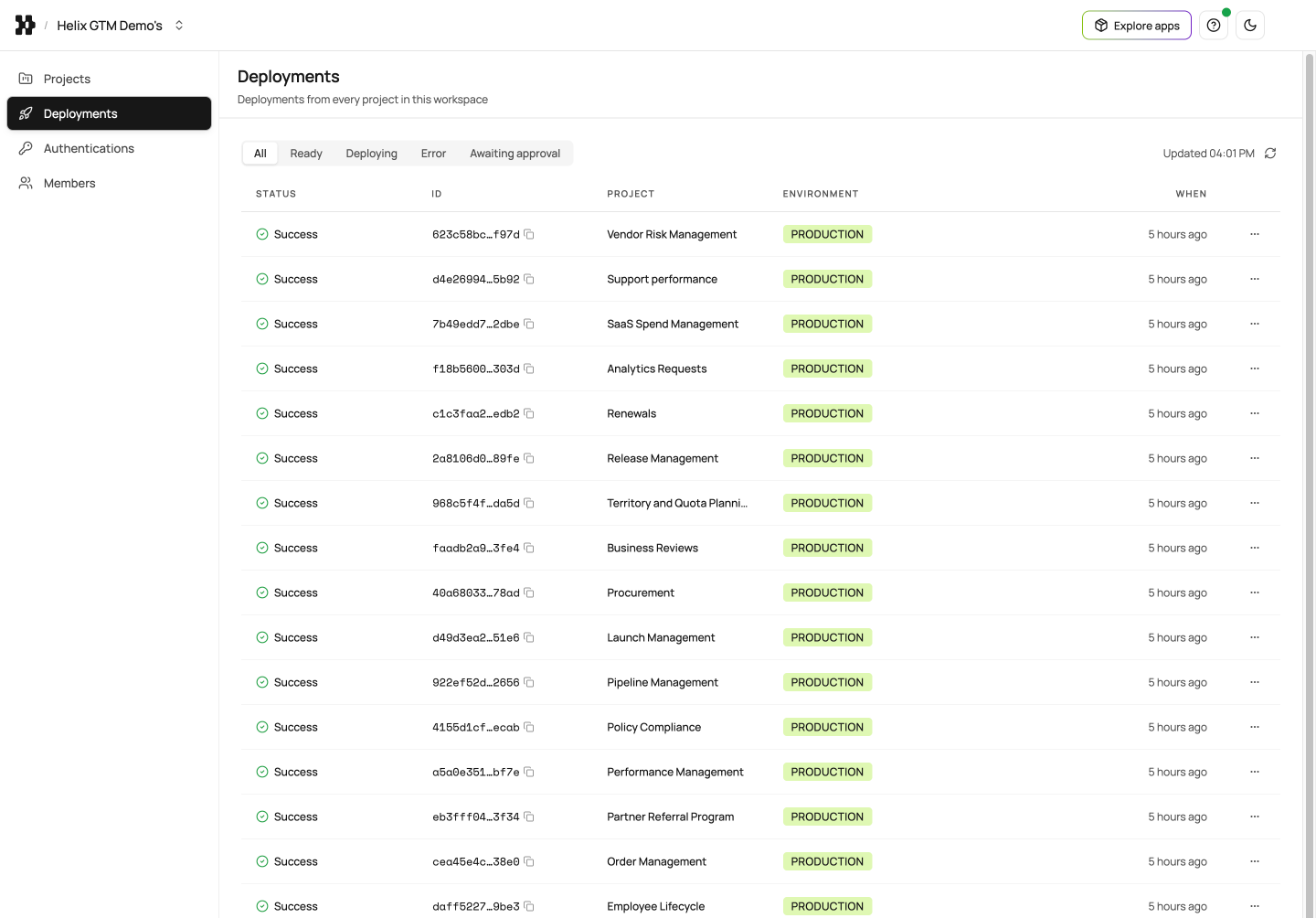
- Hold deployments for approval: every deployment, or only new apps and deployments that add an authentication. The live version keeps serving while one waits. Every approval is recorded in the activity trail, and a workspace's approvers cannot approve their own deployments. Helix only
- Promote and roll back safely: separate development, staging and production workspaces with approval gates between them, and restore a previous version when you need to.
- Deploy from CI on every merge or on demand, with each deploy attributed to a Tray API user. Helix only
Observability
See what runs, who owns it and what it does.
- Every deployed app has a named owner in the App Registry, and AI and compute spend is visible per app. Org admins also get a record of who was granted access to which projects, and when. Helix only
- Every run and every change lands in the tools your security team already watches. Tray streams your workflow, agent and audit logs to Splunk, Datadog or any SIEM or log tool you use. iPaaS only
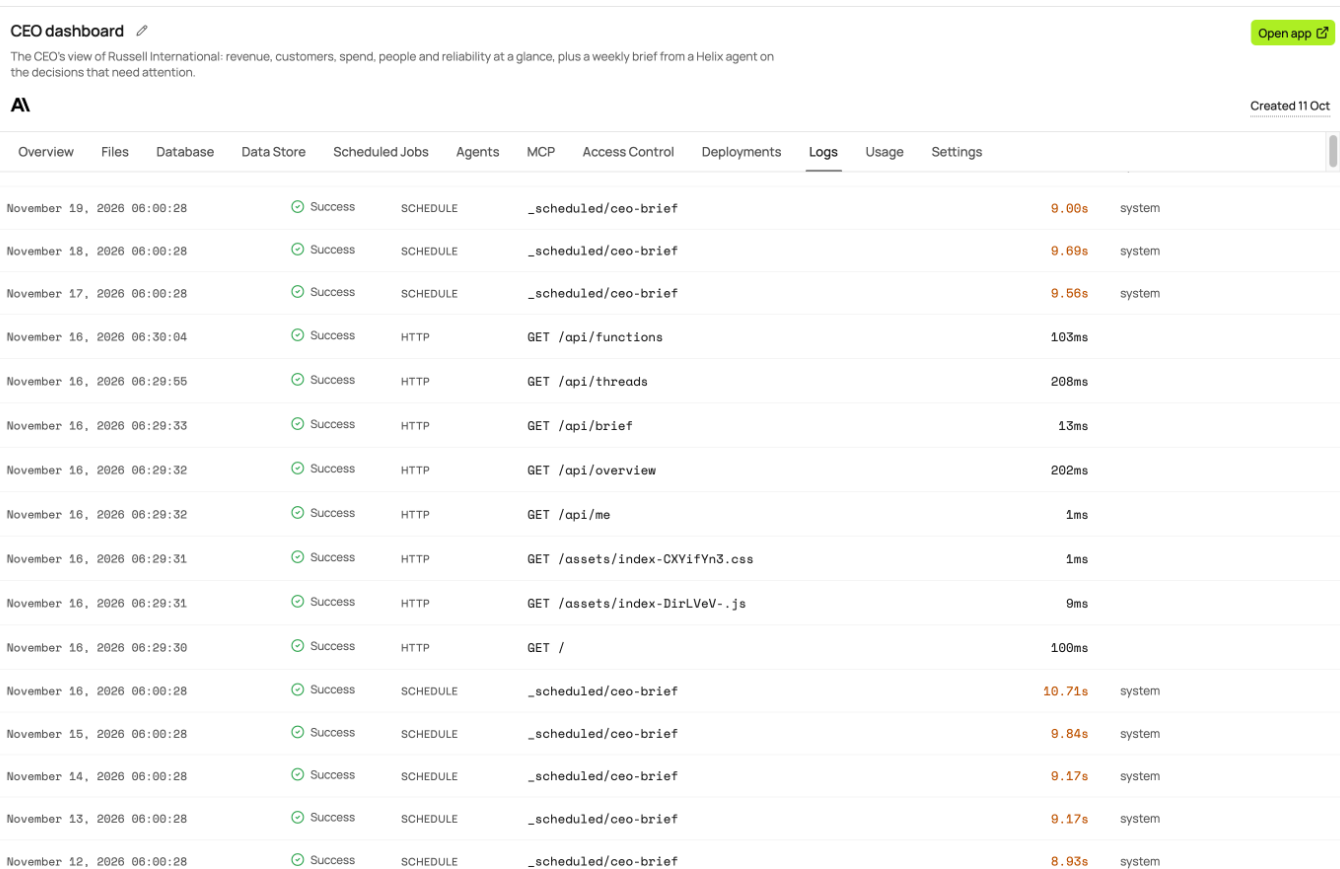
- Every run is logged. Apps log the request and response with credentials redacted, workflows log each step with its inputs and outputs, and agent runs and tool calls show in the same logs. Tray offers longer log retention.
- A loop-level audit trail on workflows: a run's history shows each iteration of a loop, so one failed record in a large batch can be found and explained. iPaaS only
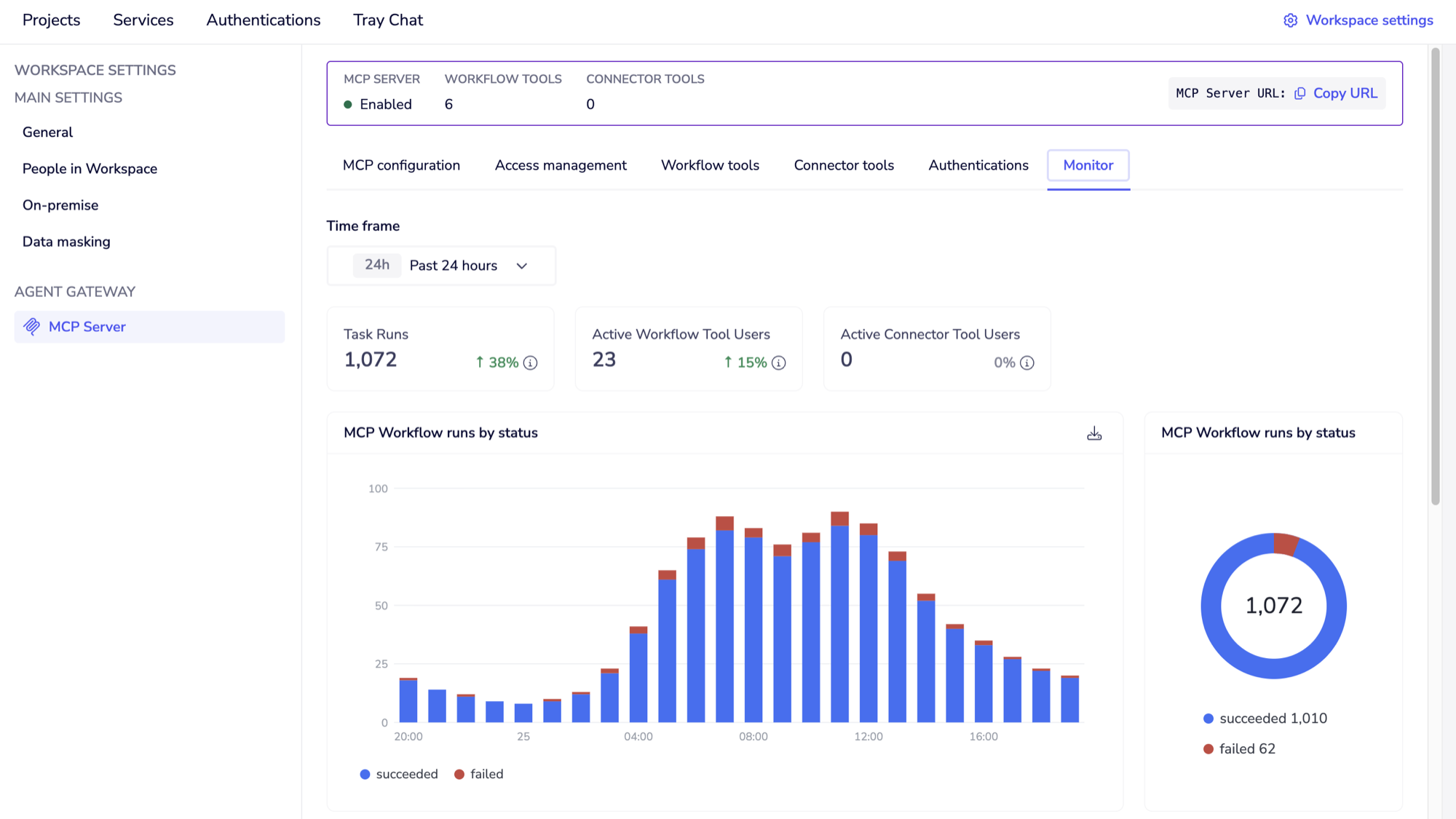
- Agent Gateway shows who ran each MCP tool. iPaaS only
- The documented Insights API returns workflow, project, connector and MCP tool-call figures to your BI tool, a script or an alert. iPaaS only
- 100% workflow execution uptime over the trailing 90 days, a published record and not a contractual commitment.
The few controls that work differently in each product
| Control | Tray Helix | Tray iPaaS |
|---|---|---|
| Access scope | Organization, workspace or individual, per app | Workspace, connector, connection and MCP tool |
| What an agent can reach | An agent in a Helix app acts with the app’s service credentials, through the app’s own tools. The builder can mark any tool as needing a person’s approval. | Agent Gateway sets which tools each MCP server exposes and which users can run them. |
| Path to production | Deploy from CI, hold deployments for approval, restore a previous deployment | Separate development, staging and production workspaces, with approval gates between them |
| What the logs show | Every app run with its request and response, credentials redacted. Agent runs and tool calls appear in the same logs. | Each step of each workflow run, with its inputs and outputs. Tray masks personal data before it lands in logs. |
Credentials, SOC 1 and SOC 2 Type 2, and the privacy commitments are the same for both.
We can now use Tray.ai to spin up new MCP Tools on a managed path. IT approves what’s built, enforces policies and permissions, versions it, and publishes. We get centralized visibility and auditability across the MCP Servers and Tools we deploy, reducing risk.
J.W. Pepper went from 500+ MCP tools to about 20 workflows, with zero raw database access.
Related
MCP governance
Govern the tools agents call over MCP.
Vibe-coded app governance checklist
What to check before AI-built apps reach production.
Shadow AI discovery
Find the AI tools nobody registered, then route each one to review.
Access request and approval
Route each request to its owner, grant with an expiry, keep the record.
Governance questions, answered
What is enterprise AI governance?
The controls that decide who can build, deploy and use AI-built apps, agents and integrations, what they can reach, and what record they leave. On Tray those controls sit in one platform layer under Tray Helix and Tray iPaaS: sign-in through your identity provider, credentials held by Tray, deployment approvals, and logs and audit records.
What is AI agent governance?
AI agent governance is control over which agents can act, as whom, with which tools, and what record they leave. On Tray, an agent acts with an app’s service credentials through that app’s own tools, asks a person to approve before it changes a record, and every agent run and tool call is logged.
Is Helix covered by the same security as Tray iPaaS?
Largely, yes. Both products use the same Tray credential store, and the same SOC 1 and SOC 2 Type 2 audits cover the whole platform. Some controls differ by product, such as app-level access in Helix and personal data masking in iPaaS. The table above marks each one.
Do I need Tray iPaaS to use Helix?
No. Every plan includes both. Start with Helix and add iPaaS integrations when you need them.
Where are credentials stored, and can an app, an agent or the AI assistant see them?
Credentials are stored in Tray. A Helix app refers to a login by name, and Tray adds it to each request on the way out, so the builder, the AI assistant and the app code never receive it, and none is written into code. An agent inside a Helix app acts with the app’s service credentials, through the app’s own tools.
How do I control which AI agent can act, and as whom?
AI agent identity is which agent acts, as whom, and with which tools. In a Helix app, an agent acts with the app’s service credentials, through the app’s own tools, and asks a person to approve before it changes a record or sends something. Through Agent Gateway, each MCP server lists the exact tools it exposes, every connection signs in with OAuth or a workspace API token, and only people you add in Access management can run them. Every agent run and tool call is logged: what started it, what ran and what came back.
Can Tray govern agents built in Claude, ChatGPT or Copilot Studio?
Yes. Agent Gateway for MCP works with any MCP client, so agents built outside Tray get the same controls as agents built in Helix. Each MCP server lists the exact tools it exposes, Tray holds the credentials those tools use, and every call lands in the same audit log whichever client made it.
How do we see which AI apps and agents our teams run?
Every app deployed through Tray Helix lands in the App Registry with a title, a description and a named owner, so IT has a live list of what is running and who answers for it. Every agent run and tool call is logged. Governance applies to what your teams build and deploy on Tray. It does not scan for AI tools used elsewhere.
Who approves what ships?
Set the rule once: hold every deployment for approval, or only new apps and deployments that add an authentication. The live version keeps serving while a deployment waits. A workspace’s approvers cannot approve their own deployments, and the activity trail records who approved each one. If you need a restore, the dashboard rebuilds the earlier version as a new deployment.
Is Tray SOC 2 compliant?
Tray completes SOC 1 Type 2 and SOC 2 Type 2 audits every year, covering the whole platform, Tray Helix and Tray iPaaS. Tray also runs an annual third-party penetration test and a bug bounty program. Reports are available through the trust center.
Where does our data live?
Tray hosts in the US, EU or APAC, so you can meet data residency rules. A Helix workspace and its projects live in one region. For a residency mandate, ask what stays in region for backups, logs and support access before you deploy regulated data.
Can I stream logs to my SIEM?
Yes. Every run and every change reaches the tools your security team already watches. Tray streams your workflow, agent and audit logs to Splunk, Datadog or any SIEM or log tool you use. Log streaming is a Tray platform capability that covers both products. Tray iPaaS logs each workflow run step by step, Tray Helix logs every app run and agent run, and Tray offers longer log retention.
Can I hide sensitive data in workflow logs?
Yes. In Tray iPaaS, an admin can mask a step’s inputs and outputs in the run logs, and the workflow runs the same. Only admins can reveal masked data, each reveal is temporary, and it is recorded in the audit log.
Does Tray offer an uptime SLA?
Tray publishes its availability record at status.tray.ai. That record is not a contractual commitment. Availability terms are in your order form and Tray’s terms, and your account team can show them before you sign.
See these controls on your own stack.
Need the SOC reports, pen test summary or DPA? They are in the trust center, or brief your whole buying committee.