
Until now, anyone who could deploy a project could put it live, and nobody else had to look at it first. That suits most changes. It doesn’t suit a brand-new app reaching colleagues for the first time, or an update that connects an app to a system it didn’t use before.
Approvals hold those deployments for review. A shared workspace can have its own approvers, such as the team that owns it, so reviews don’t all queue with central IT. Every decision is recorded in the activity trail.
An example
The finance team runs an Expense Management Dashboard on Helix, in their Finance Ops workspace. One of the team adds a Slack alert that posts to #finance-alerts when a report goes over budget. Here is how that change reaches production with approvals on.
1. Turn on approvals
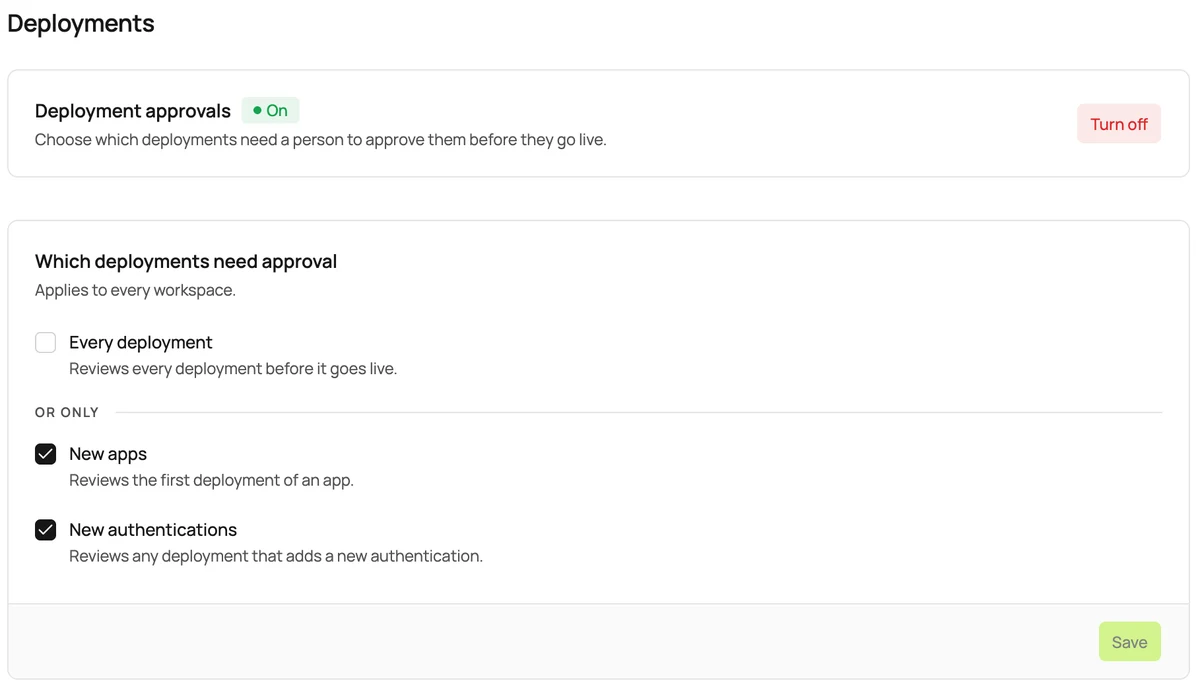
An admin opens Organization settings, then Policies, then Deployments, and turns approvals on with the defaults: new apps and new authentications. Routine updates still go live without waiting.
2. Give the workspace its own approvers
Under Who approves, the admin adds Devon Okafor and Priya Nair as approvers for Finance Ops. Approval emails for that workspace now go to them instead of the admins, and the admins can still approve too.
3. Deploy with a note
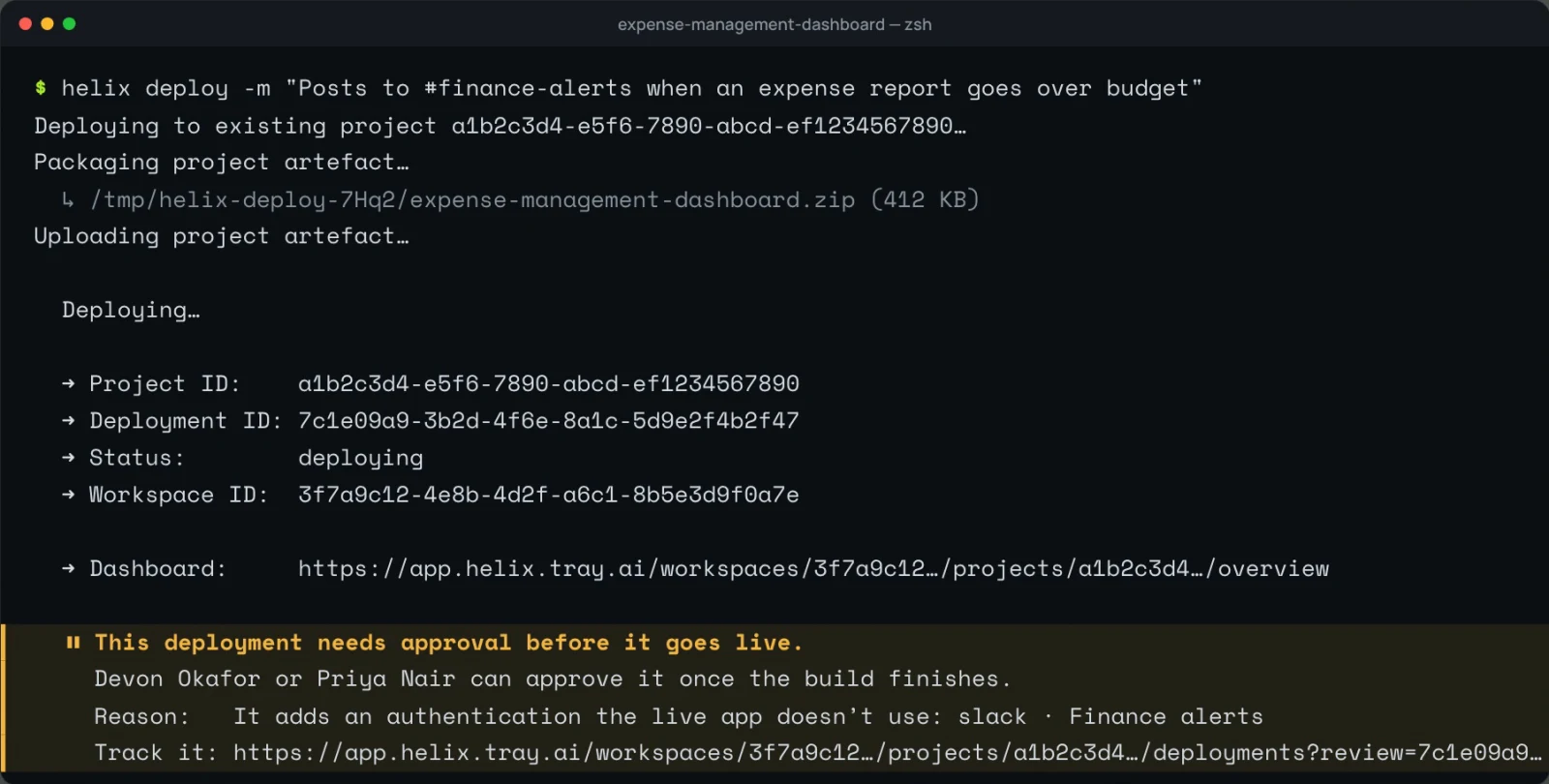
The builder deploys with helix deploy -m and a short note for the reviewer. Because the change adds a Slack authentication the live app doesn’t use, the CLI says the deployment needs approval, why, and who can approve it. The dashboard keeps serving the version that was already live.
4. Review it
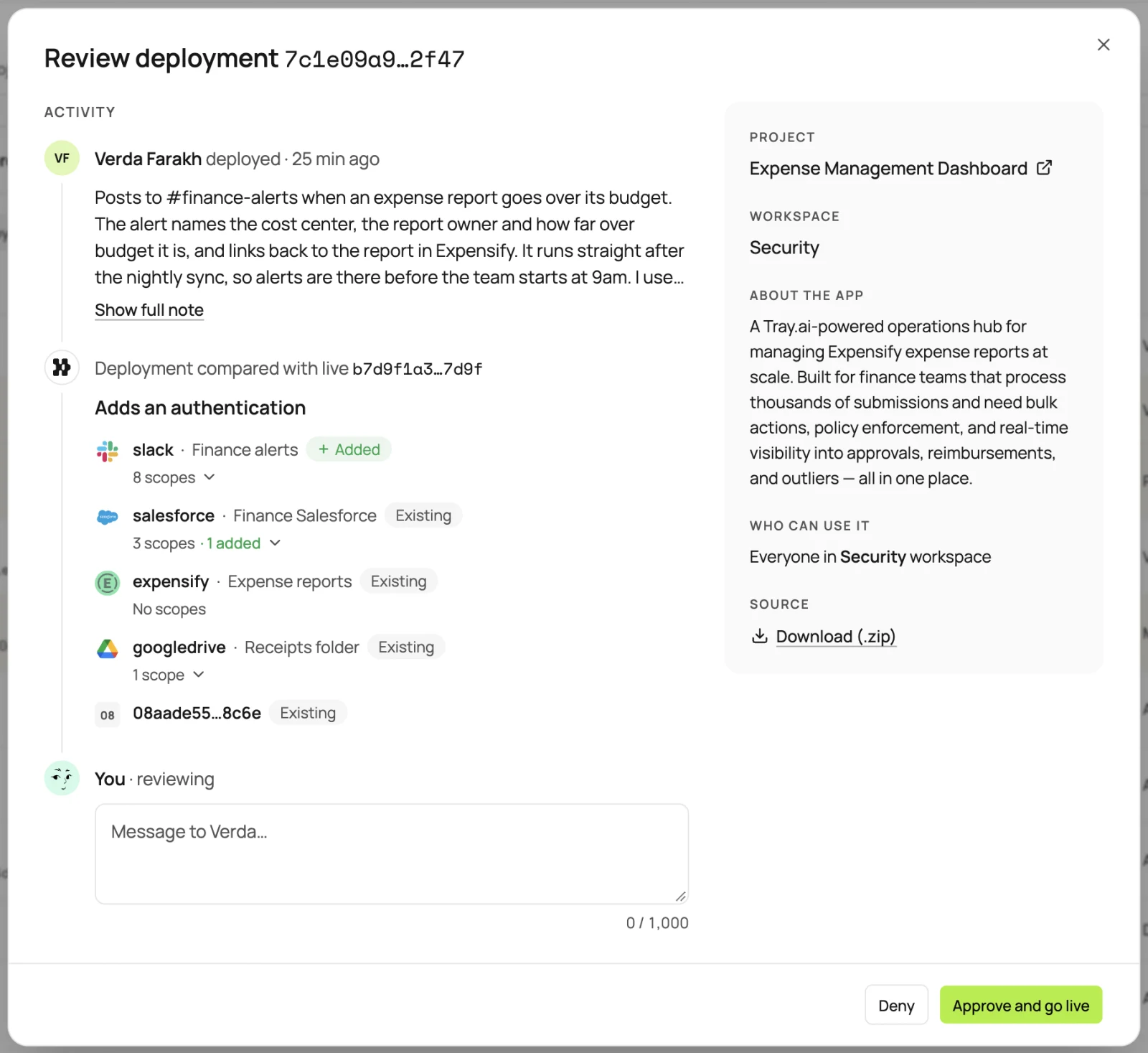
Devon gets an Approval needed email and opens the review. It shows the builder’s note, what Helix checked, including the new Slack authentication and the scopes on each authentication the app uses, who can use the app, and the source to download.
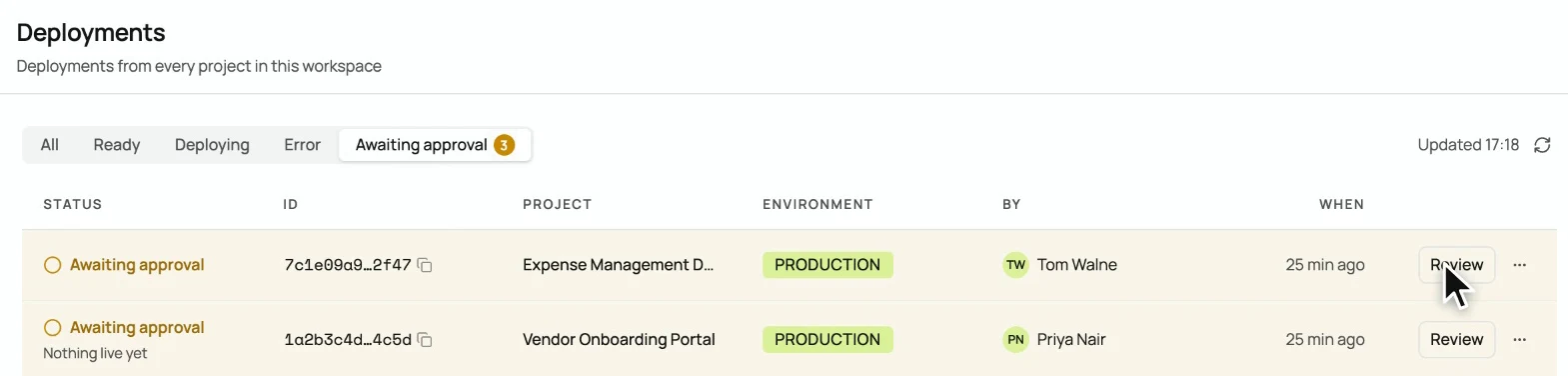
Finance Ops’s Deployments page shows everything waiting across all of the workspace’s projects, so Devon and Priya can see their whole queue in one place.
5. Approve, or roll back later
Devon chooses Approve and go live. The build goes live straight away, without being rebuilt, and the builder gets an Approved email. If the alert causes problems next week, anyone who can deploy the project can restore the earlier version from the Deployments tab without waiting for a new review.
What follows from how it works
The live app keeps running. A waiting deployment is built but not live. The version that was live before keeps serving, including its scheduled jobs.
Only the deployments you choose wait. With the defaults, an update that keeps the same authentications, or removes some, goes live as it always has.
The team that owns a workspace can review it. Workspace approvers get that workspace’s emails and decide its deployments. A workspace approver can’t approve their own deployment.
Reviewers see one build at a time. A project has at most one deployment waiting. A newer one that also needs approval replaces it, and the older one is marked Withdrawn.
Rollbacks don’t wait. Restoring a previous deployment skips approval. Only a deployment that was approved, or never needed approval, can be restored, so a restore can’t put an unapproved build live.
Every decision is on the record. Policy changes, approver changes, approvals, and denials all appear under Recent activity in the Admin console.
What to watch for
Update the CLI, including in CI. CLI versions before 1.18.0 report a waiting deployment as ready, as if it were live. Workflows created with helix ci init keep the CLI version they were written with, so bump that too.
A passing CI job doesn’t mean the app is live. With approvals on, the deploy job passes once the build succeeds. The deployment goes live when it’s approved. CI deploys get no Approved or Rejected email, so check the Deployments tab for the decision.
Owners and admins can approve their own deployments. So approvals don’t guarantee that a second person reviews their changes. The activity trail records who approved each deployment.
The review shows the source, not a diff. Download the source to read the code. Approvals are a person’s sign-off and don’t scan code.
One policy covers every workspace. There are no per-project rules, and you can’t exempt a person or an API user. Only who approves differs between workspaces.
Turning approvals off approves what’s waiting. Deployments already waiting go live as if you had approved them, and the activity trail records you as the approver.

