Skip to content

Solutions / Use case

Process automation, from the first request to the last record.

Most business processes cross several systems and several teams. Every handoff is someone copying data, chasing an approval or noticing a failure late. Tray.ai runs the handoffs, so people only see the decisions that need them.

Great — a couple more details

This helps us connect you with the right person. Optional, and you can skip it.

Jump to the stages
One refund request moving through an automated process: raised as a Zendesk ticket, matched to the account in Salesforce and the charge in Stripe, approved by finance in Slack, credited in NetSuite, refunded through Stripe, and the customer told and the ticket closed in Zendesk.

The short answer

What is process automation?

Process automation runs a repeatable business process across the systems and teams involved, without someone carrying it by hand. A request starts it, data is gathered from the systems that hold it, rules decide what happens, a person approves what needs a person, every system is updated, failures are handled and each step is recorded. Most processes cross three or more systems and two or more teams, and the delays sit in the handoffs between them rather than inside any one.

  1. 1 Take the request
  2. 2 Gather the facts
  3. 3 Apply the rules
  4. 4 Get sign-off
  5. 5 Update systems
  6. 6 Handle failures
  7. 7 Keep the record
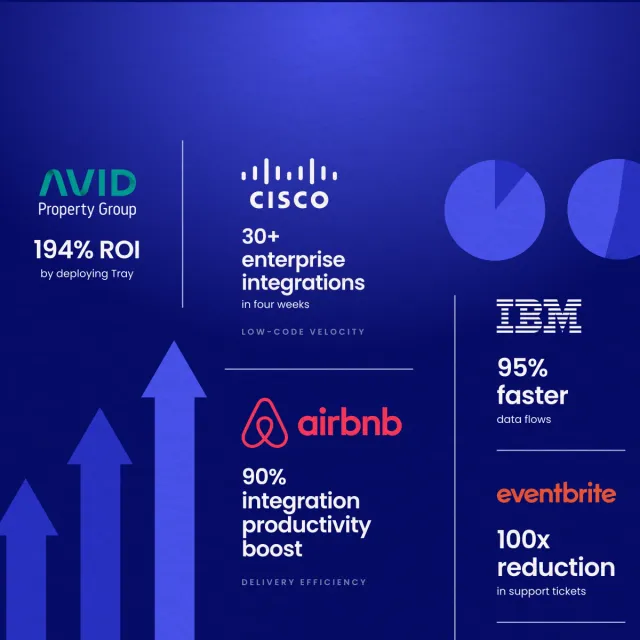
ROI on IT process automation at Auctane
356%
of manual IT tasks automated away at Peddle
30%
to ship order management at Thryv, against an IT estimate of up to a year
Weeks
employees supported by a lean go-to-market systems team at Abridge
500+

The process automation lifecycle, stage by stage

Seven stages that every cross-team process goes through, whatever it is for, each with what breaks and a guide to building it.

  1. 1

    Request and intake

    The request comes in through one door per request type, with the requester identified and known fields filled in.

    Where it breaks: The same request arrives by Slack and email, and neither copy says which cost centre it is for.

  2. 2

    Gather data and documents

    The workflow reads what the decision needs from the systems that hold it, including values pulled out of documents.

    Where it breaks: Someone opens four systems and a PDF to answer a question the workflow could have looked up.

  3. 3

    Decide

    Rules held as data decide the route. AI sorts what rules can't, like a request written as free text.

    Where it breaks: The rule lives in one person's head, and the process stops when they are on leave.

  4. 4

    Approve

    Requests that need a person go to the right approver, with the facts attached, in Slack or Teams, with a deadline.

    Where it breaks: A refund waits four days because the approver was away and nobody else knew they could sign it.

  5. 5

    Act across systems

    Every system the process touches is updated, and work for other teams is handed over as a tracked task.

    Where it breaks: Finance issues the credit, support never hears, and the customer is told nothing for a week.

  6. 6

    Handle exceptions

    Passing failures are retried safely, and real ones are parked with their context and sent to the team that can fix them.

    Where it breaks: A retry creates a second invoice, or a failure lands in an inbox nobody reads.

  7. 7

    Record and report

    Every run, input, decision and approver is logged, so the process can be audited and measured.

    Where it breaks: The auditor asks who approved a payment, and the answer is a search through chat history.

Processes with their own page

Each of these runs through the same stages, and each has its own page with the systems, guides and customers behind it.

Three ways to run a process across teams

  • Screen-clicking bots (RPA). Quick to start, because they click through screens the way a person would. They break when a screen changes, and nobody can see why a run went wrong.
  • Each app’s own automation. Good inside one system, but a process that crosses five systems ends up as five separate flows, each with its own rules and none of them aware of the others.
  • An integration platform. The whole process in one place, from request to record, with the same approvals, error handling, logging and access control on every step. This is Tray.ai: the teams that own a process build it, and IT governs how it runs.

The Tray.ai platform behind it

Tray.ai is the enterprise orchestration platform for data and AI. These are the parts of it that run process automation.

The metrics process automation moves

What operations teams measure on any automated process, and which stage each number depends on.

Cycle time
Time from a request being raised to the work being done.
What moves it Requests that arrive complete, and approvals that go straight to someone available. How to automate approval routing 
Time to decision
How long requests wait for an approver.
What moves it Sending the facts with the request, and deadlines that escalate instead of waiting. How to automate approval routing 
Back-and-forth rate
Share of requests sent back to the requester for more information.
What moves it Filling in known fields from other systems and checking a request is complete before an owner sees it. How to automate request intake forms 
Hands-off rate
Share of requests completed with no manual step.
What moves it Reading documents and looking up records automatically, with only the uncertain cases sent to a person. How to build a document intelligence pipeline 
Failures found by people
Share of failed runs that someone outside the owning team noticed first.
What moves it Parking each failure with its reason and alerting the team that owns it. How to handle exceptions and retries in automated workflows 

Process automation connectors

The systems cross-team processes run on, grouped by the seat each one fills. Each links to its connector page.

Requests and tickets

Where requests are raised and tracked, by forms, service desks and help desks.

Systems of record

Where the customer, the employee, the order and the money live.

Documents and signatures

Where the contracts, invoices and forms a process reads are stored and signed.

Work tracking

Where work handed to another team is tracked to done.

Approvals and messages

Where people approve, answer questions and hear what happened.

Monitoring and records

Where failures are watched and every run is kept for audit and reporting.

Anything not listed connects through the full connector library, or directly through its API.

Teams running process automation on Tray.ai

“Tray.ai is the glue that holds all our systems together. It interacts with a lot of different systems, and it's the only solution flexible enough to do what we need.”

— Ryan Cantor, Chief Product Officer, Thryv
Read the study

Processes built this way

Each of these is a cross-team process with the same stages, built end to end in its own guide.

Revenue operations

How to build an order-to-cash integration

Closed-won to sales order to invoice to cash applied, as a CRM to ERP integration. Retries that never create a second order, a reconciliation loop, and the Headless prompts that build it.

Finance

How to build a procure-to-pay integration

Requisition to PO to receipt to payment, with the approval matrix as data, three-way matching, and the budget checked before the commitment. The prompts.

Finance

How to build AP invoice processing

Take invoices from wherever they arrive, extract and verify instead of trust, match against the order, and never pay the same one twice. The prompts that build it.

Revenue operations

How to build lead routing that assigns in seconds

Match the lead to an account first, evaluate rules in a fixed order, catch what they miss, and time it from arrival. The Headless prompts that build it.

People operations

How to build employee onboarding provisioning

Drive it from the HRIS, derive access from the role instead of a copied colleague, sequence around the start date, and prove it happened. The prompts that build it.

IT and security

How to build access request and approval

Route to the system owner, grant with an expiry by default, provision automatically, and produce the access review as a by-product. The prompts that build it.

IT and security

How to build IT service desk fulfilment

Catalogue the requests worth automating, fulfil the safe ones end to end, and route the rest with everything already gathered. The prompts that build it.

Customer success

How to build support ticket routing

Route on the skill needed and the account, not on who is free. Derive priority from contract and impact, and time the clock from the customer. The prompts.

Legal and compliance

How to build data subject request automation

Search every system instead of the ones you remember, verify identity before disclosing, track the statutory clock, and record what was found. The prompts.

Frequently asked questions

Which processes can be automated this way?

+

Any process that repeats and crosses systems: order-to-cash, procure-to-pay, invoice processing, lead routing, employee onboarding, access requests, IT service requests, support ticket routing and privacy requests. Each has its own guide, linked above, and each follows the same seven stages.

What is the difference between process automation and workflow automation?

+

A workflow is one automated sequence of steps. A process is the whole piece of business work, which usually runs as several workflows across several teams, with approvals and exceptions in between. Process automation covers the whole piece of work, from request to record.

Who builds these on Tray.ai?

+

The teams that own the process, with IT governing how it runs. Peddle's IT team automated away 30% of its manual IT tasks, and Mixpanel's finance team now plans its own automation builds.

Where do AI agents fit in process automation?

+

In the stages that need judgement: reading documents, sorting free-text requests, drafting replies and suggesting a route. Anything that moves money or changes access still goes to a person for approval, and every step the agent takes is logged with the rest of the run.

How is an automated process audited?

+

Every run is logged, with each step, its input and output, and who approved what. The platform is audited for SOC 1 and SOC 2 Type 2, and supports HIPAA, GDPR and CCPA, so the evidence an auditor asks for exists before they ask.

Do we have to replace the systems we already run?

+

No. Tray.ai connects the systems you already use and carries the work between them. The stages above describe what moves between systems, not which ones you run.

Last reviewed 2 October 2026.

See process automation running on your stack.

Walk through your systems and stages with a Tray.ai expert.

Great — a couple more details

This helps us connect you with the right person. Optional, and you can skip it.

Browse the how-to guides